AllMight Service
Repair workshops
by computerization4u
Intake with a signature, a slip and a sticker
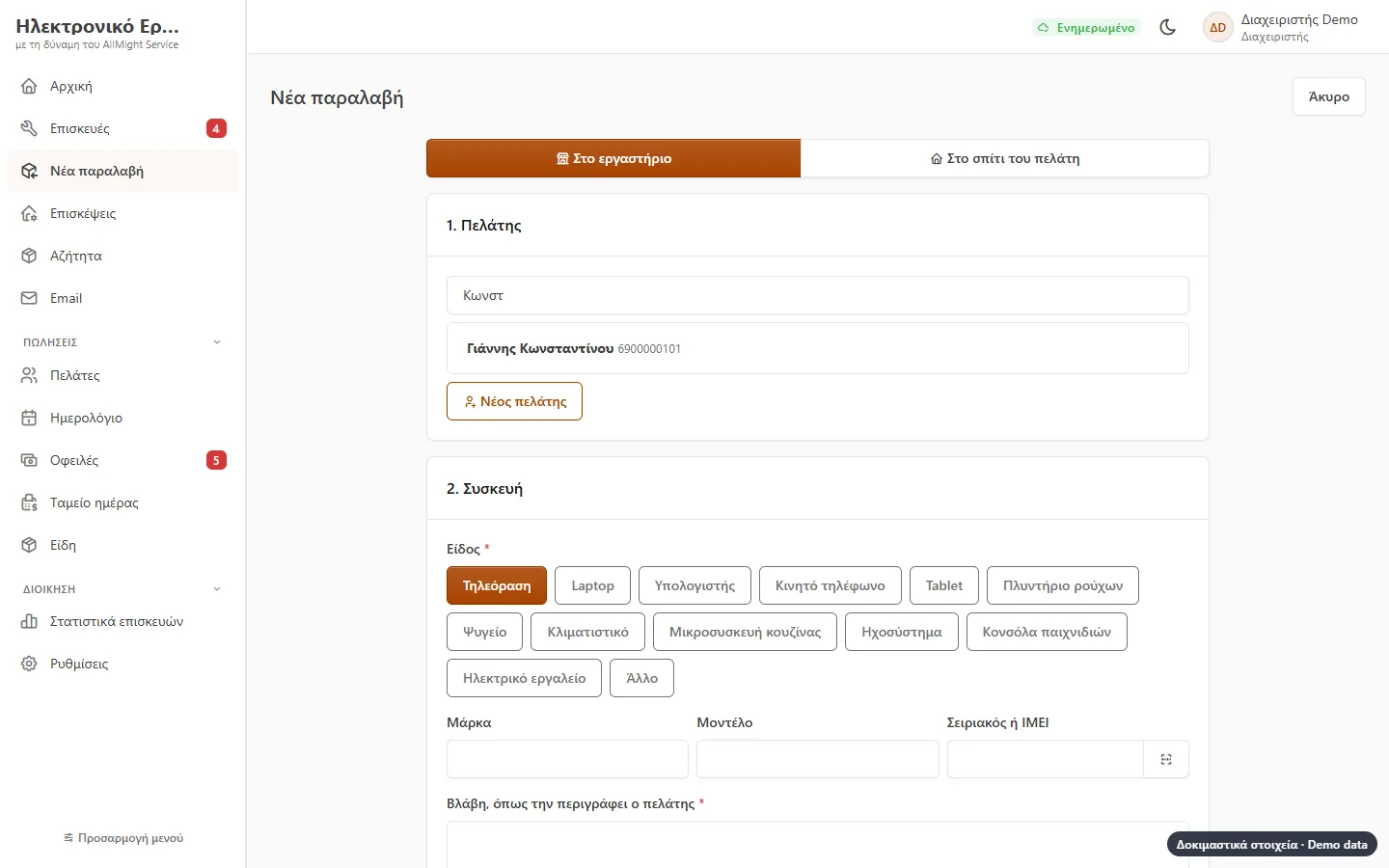
Customer, kind of device, brand, model, serial number, fault, accessories and photos. The customer signs your terms on the screen. Out comes an intake slip with a QR code for the customer and a sticker for the device.
- Serial number by camera, and a warning if the same device has been in before
- «Repair without asking up to €X»
- The device’s code locked, seen only by the technician and erased on delivery
- Stickers in three sizes for a thermal printer
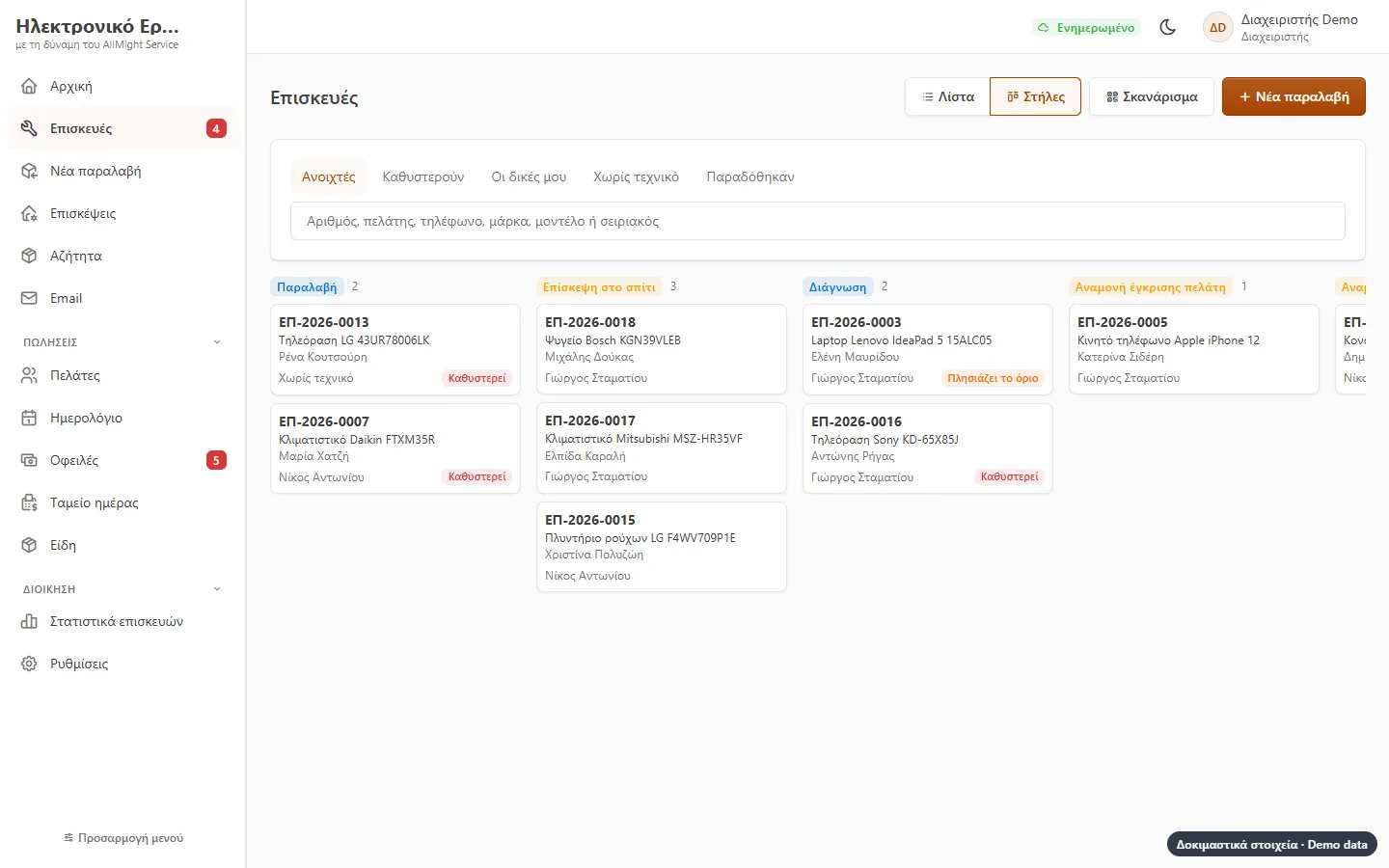
Stages, columns and time
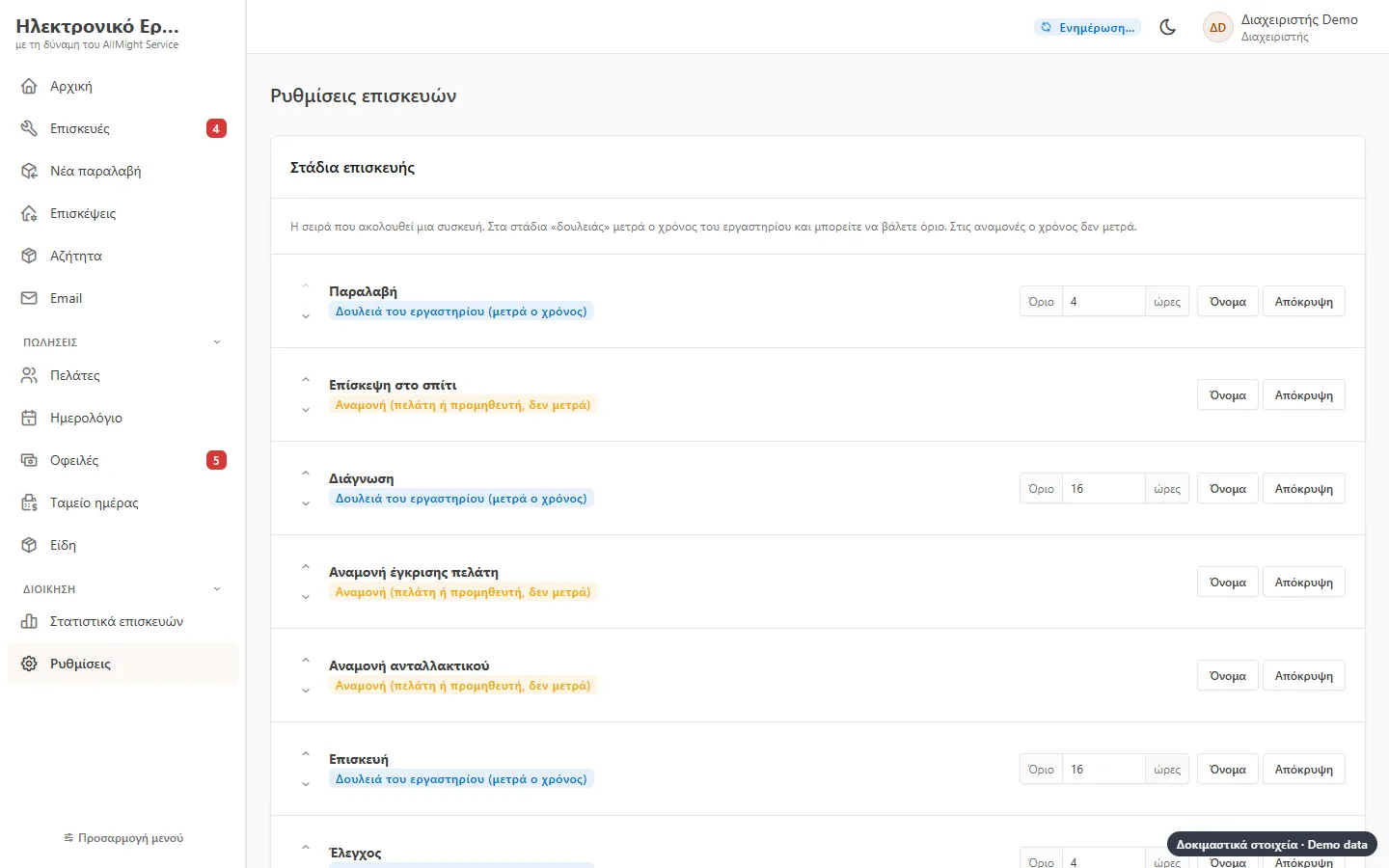
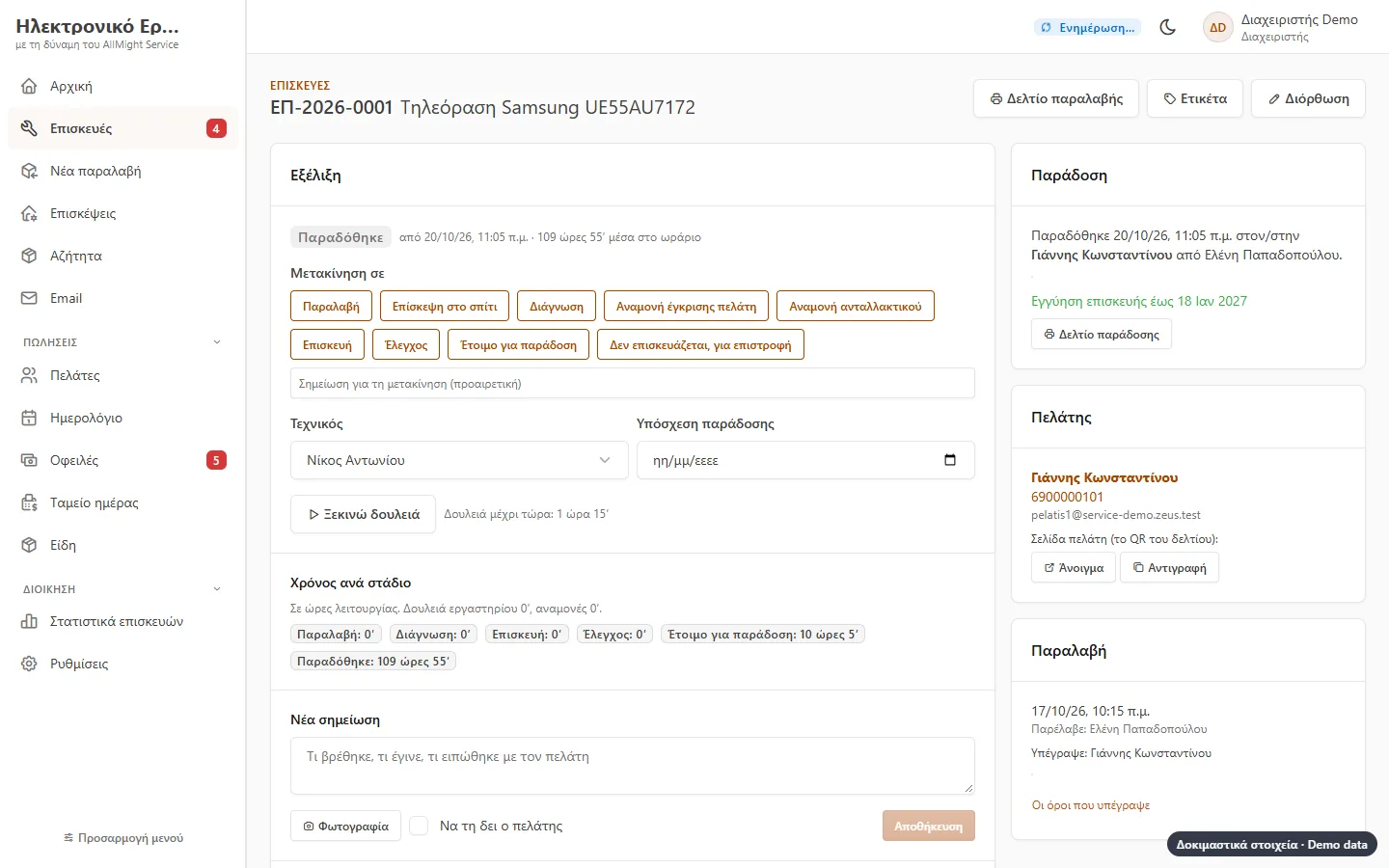
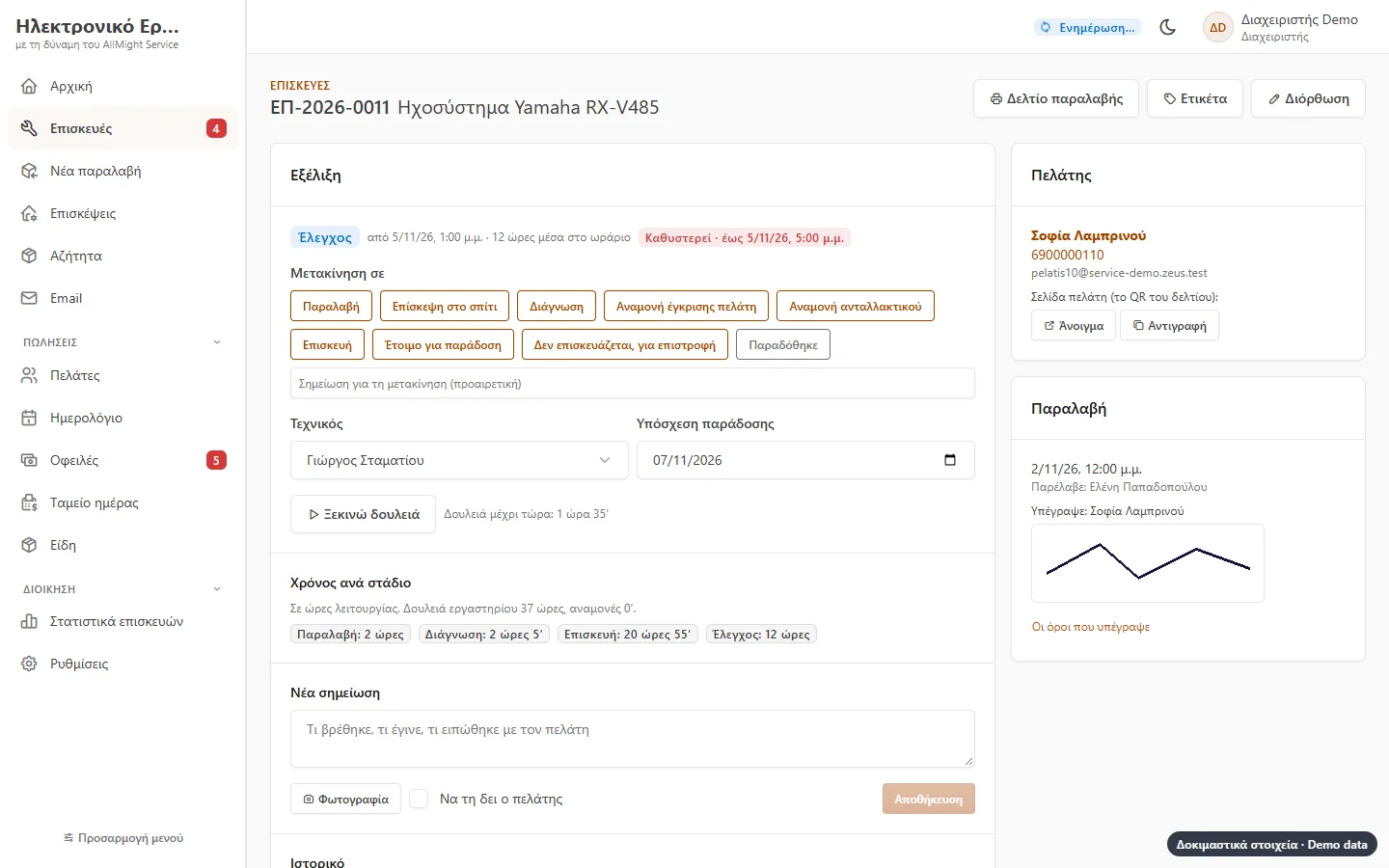
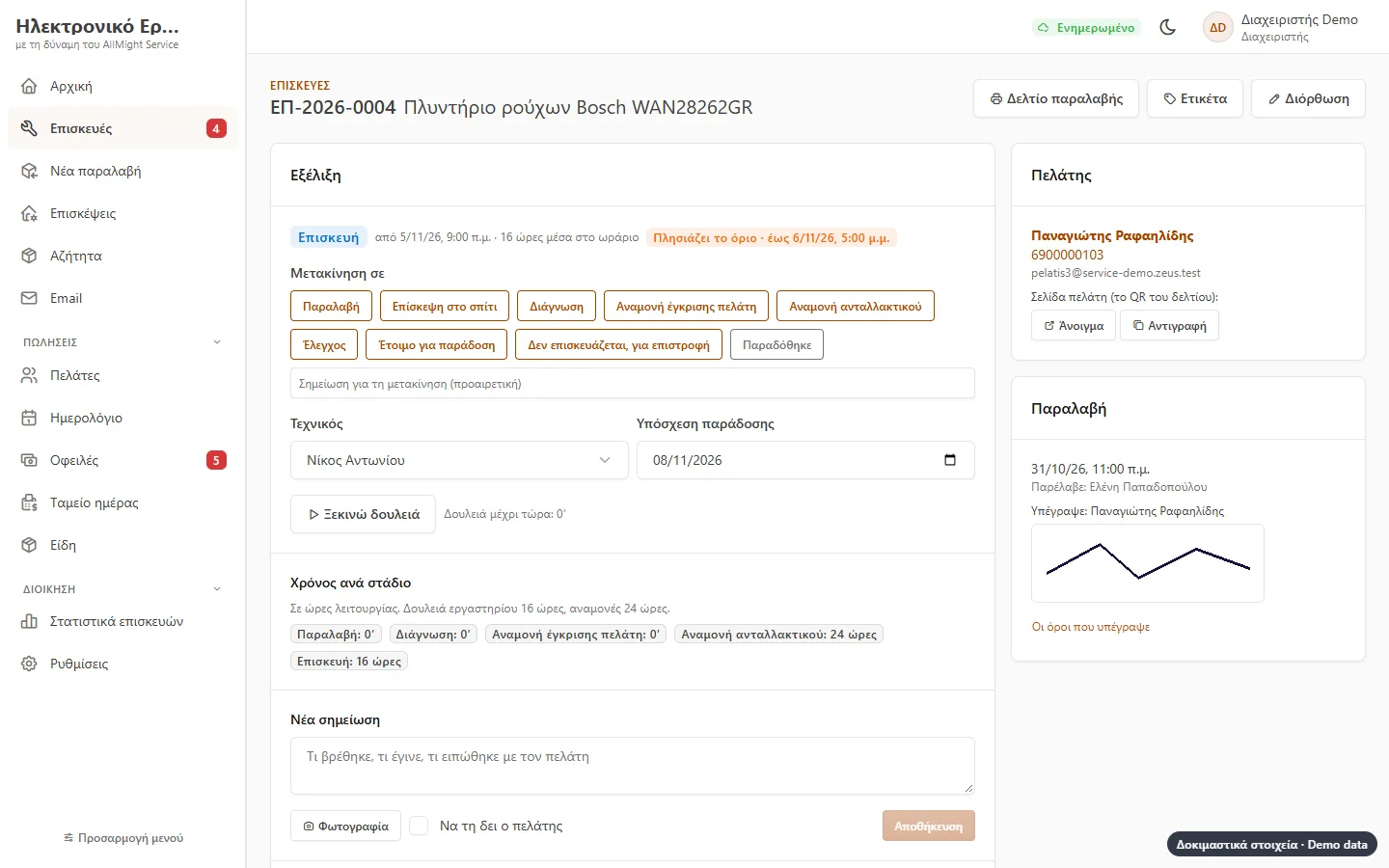
The device goes through the stages you set: intake, diagnosis, approval, part, repair, testing, ready. Time counts only in opening hours, and it stops while waiting for the customer or a supplier.
- A time limit per stage
- Columns with drag and drop, or a list
- Notes and photos at every stage, with the full history
- Time per stage and the technician’s working hours
The technician on a tablet
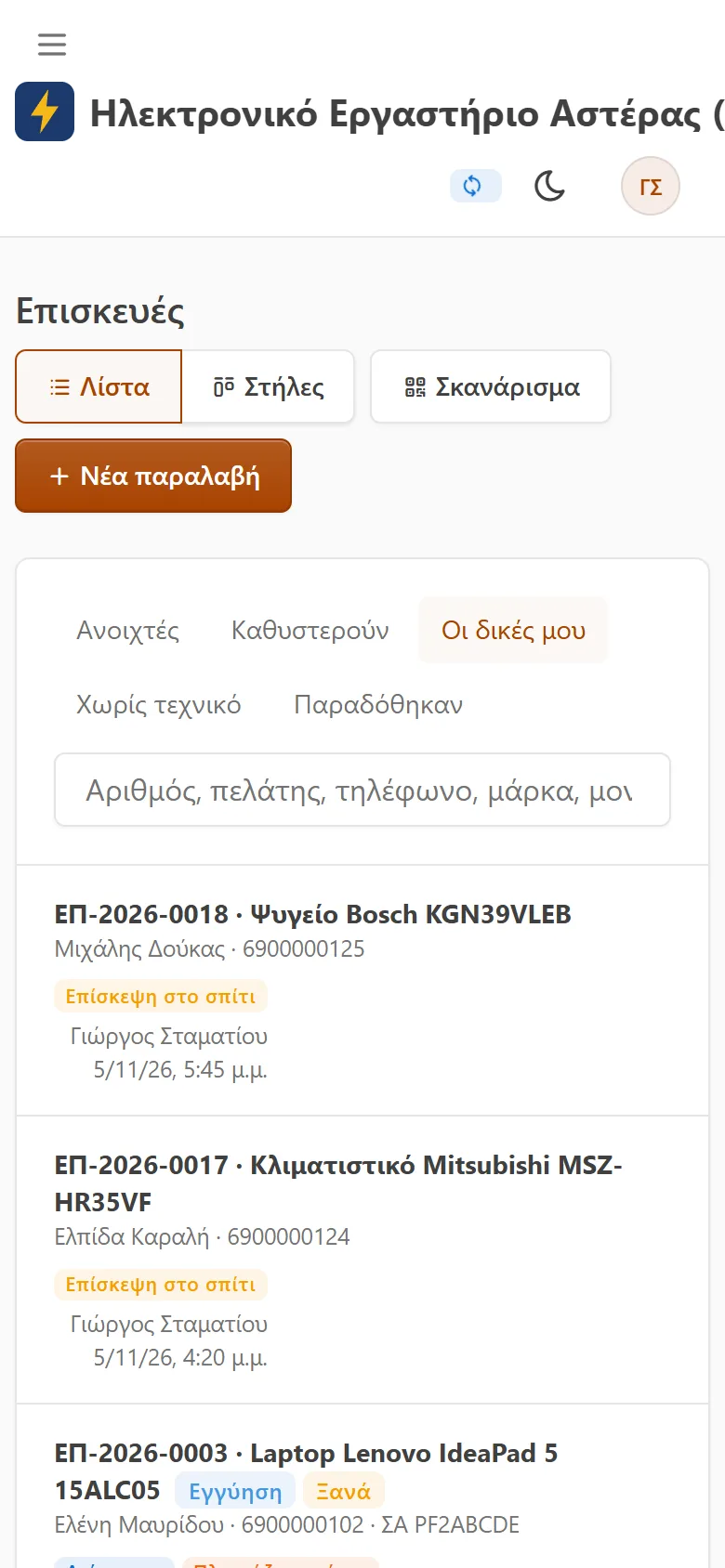
Technicians see their own cards, scan the sticker to open the device, press «start work» and move it on. They change only their own cards or free ones.
- Assigned by the manager, or «I’ll take it»
- Moves and notes work offline and are sent later with the right time
- No money on their screens
Repairs at the customer’s home
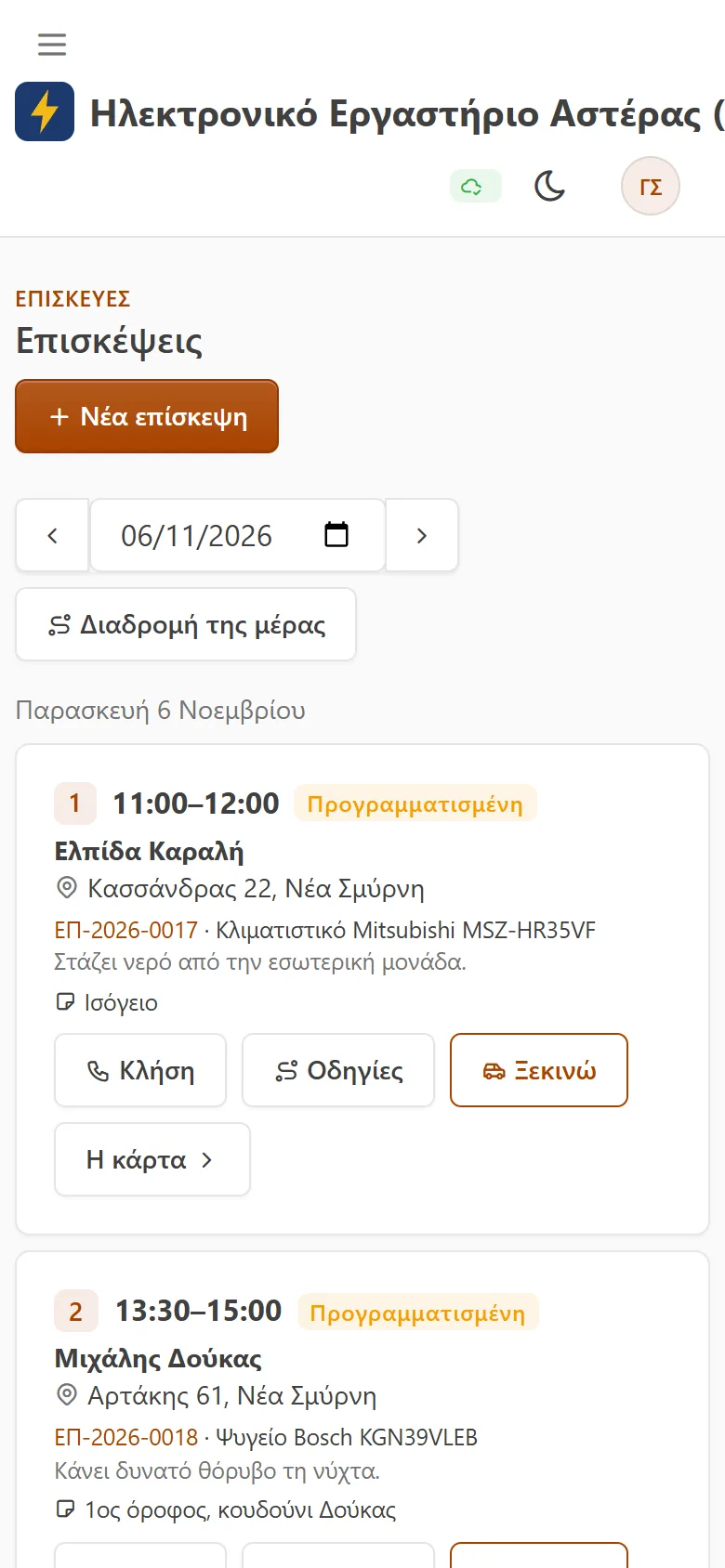
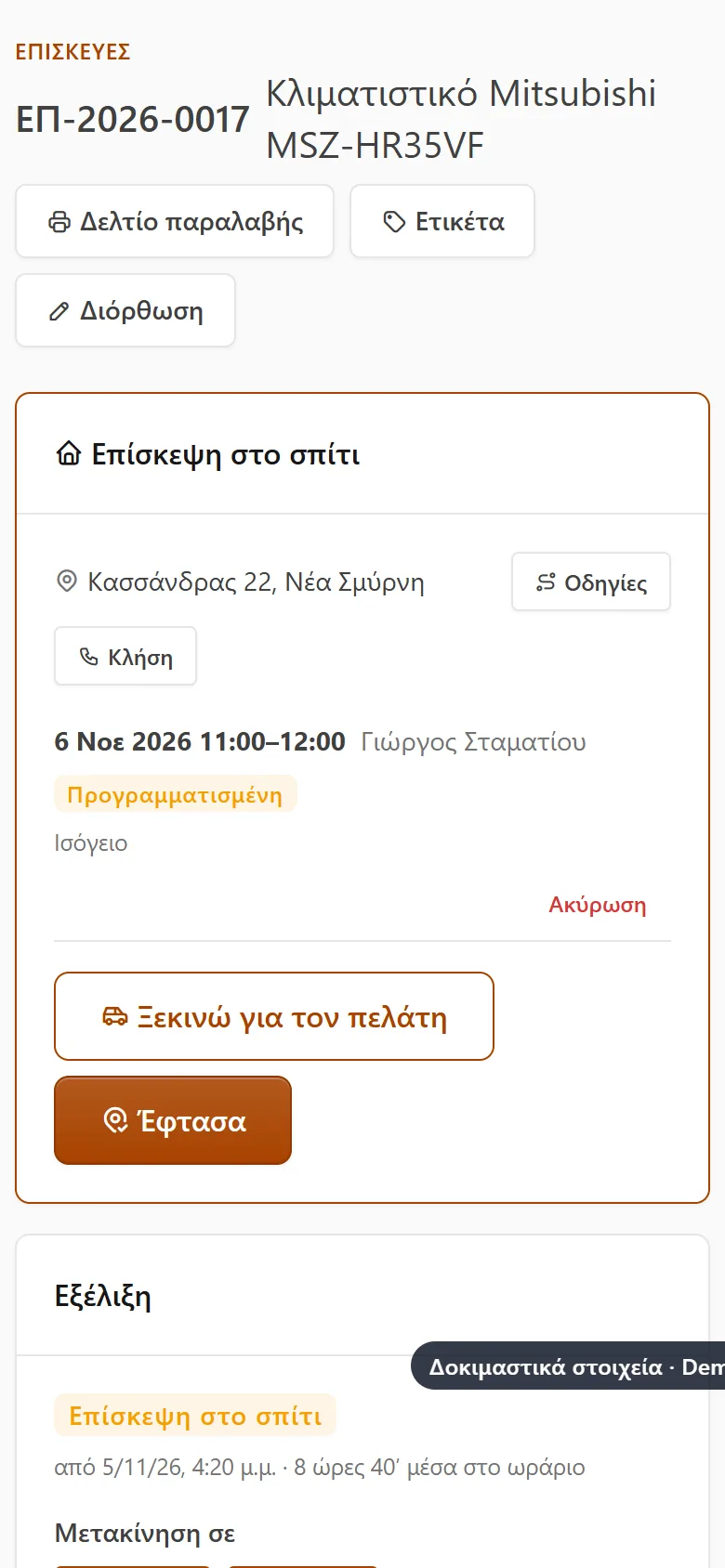
A call becomes a card with the address, day, time and technician, and goes into their calendar. On the phone the technician sees the day’s visits in order, gets directions on the map, presses «on my way» and the customer sees they are coming. At the home the customer signs the terms on the technician’s phone.
- Repaired on the spot: handed back with a signature and a warranty
- Or taken to the workshop, where it goes on as any repair
- Or another visit is booked, for example when the part arrives
- A visit fee on every visit, or only when nothing gets repaired, as you choose
Nothing gets forgotten
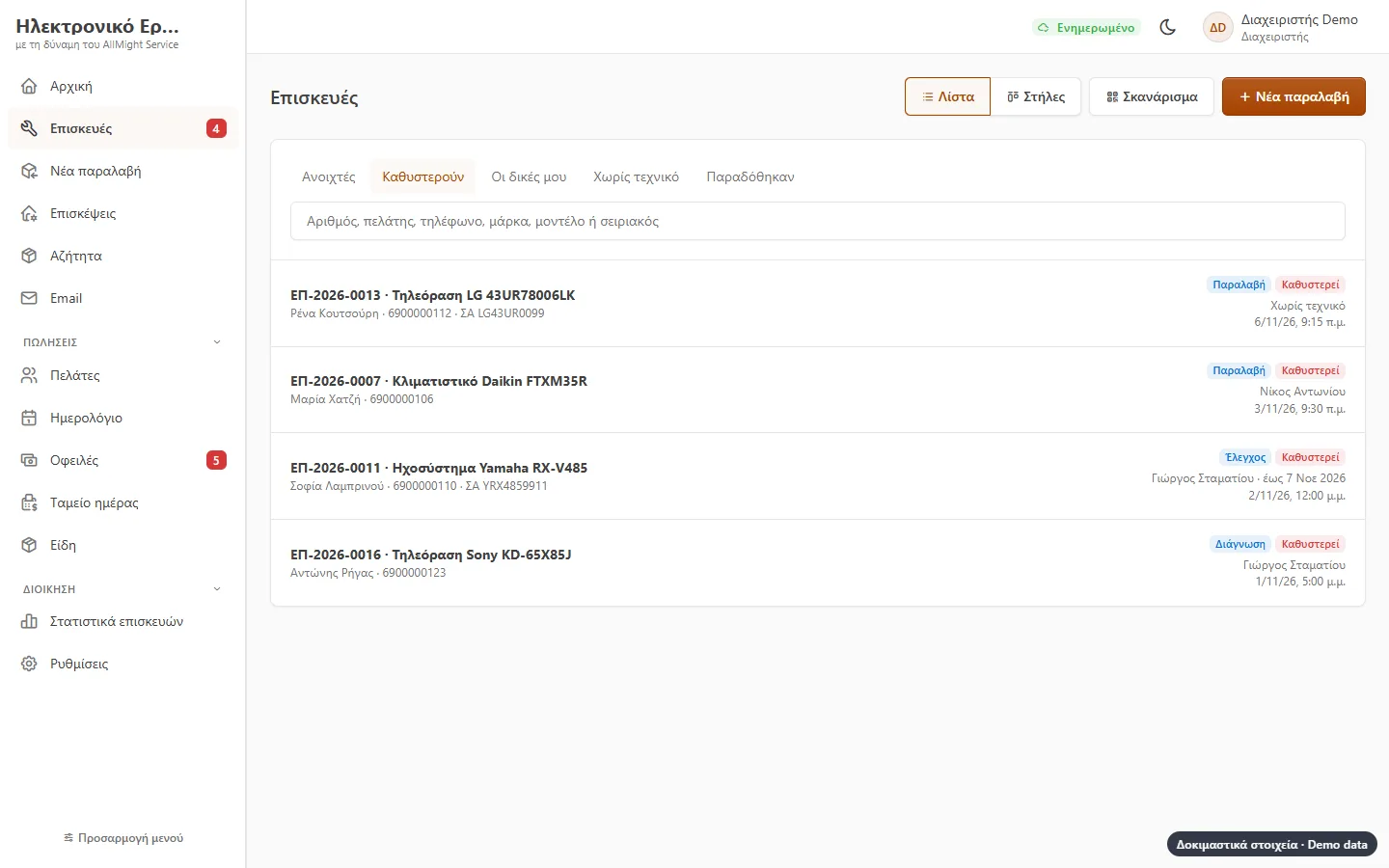
Whatever passed its stage’s limit, or was handed over and left untouched, shows as a number beside the menu. The technician is told, and if as long again goes by, the manager too.
- A «late» tab
- A morning email summary
- Promised delivery days on the calendar
Quote, approval and payment
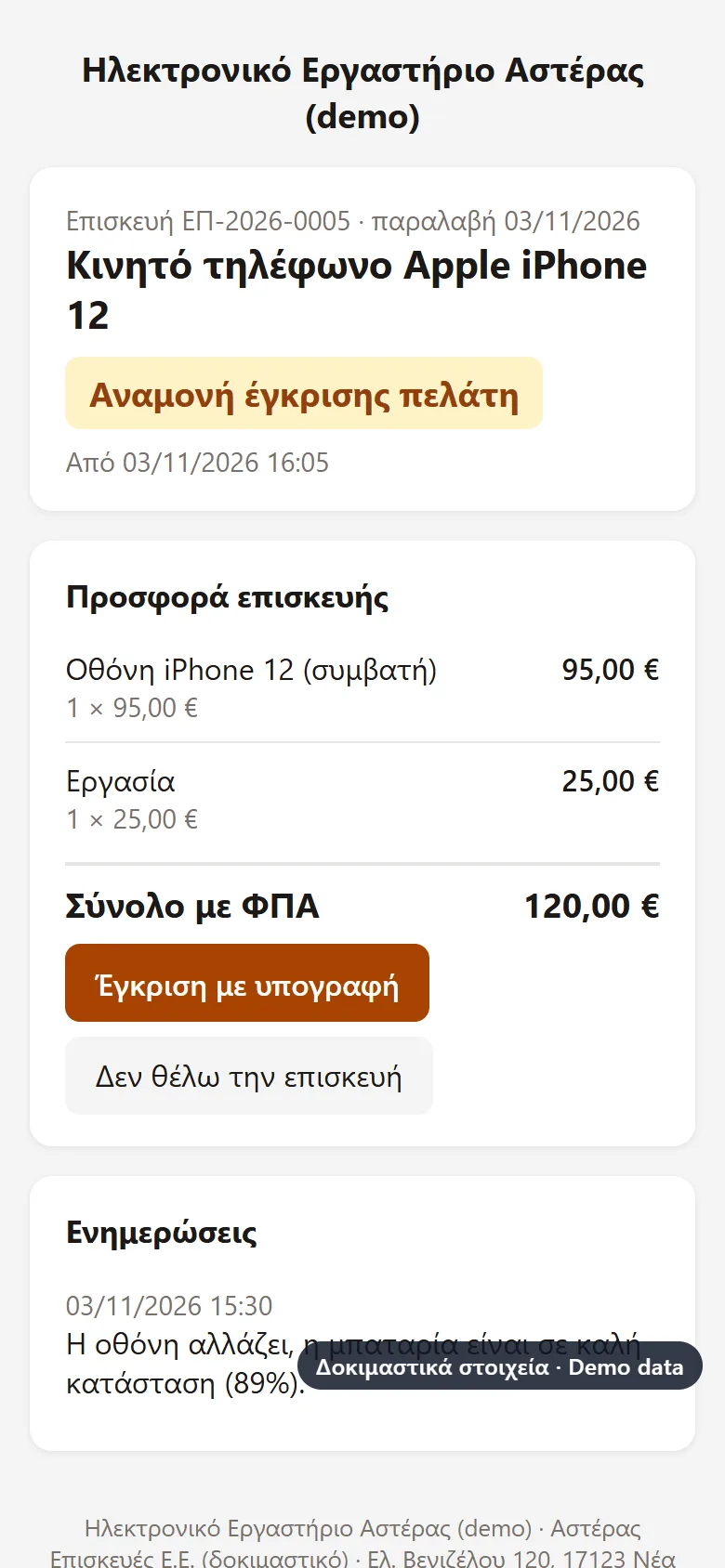
Labour and parts from your items, with VAT. The customer approves with a signature at the workshop, on the phone or from their own phone, and the card moves on by itself. Within the «no need to ask» limit it is approved at once.
- Deposit, charge, payment with a receipt
- A diagnosis fee if the customer says no
- A new version of the quote when something changes
- Debts and the day’s takings together with everything else
The customer follows the repair
The QR code on the intake slip opens a page on the customer’s phone: which stage the device is in, when it should be ready, what you wrote to them, and the quote to approve.
- No password and no app
- No internal notes, technician or debts shown
- Emails at the stages you choose, only if you turn them on
Delivery with a warranty
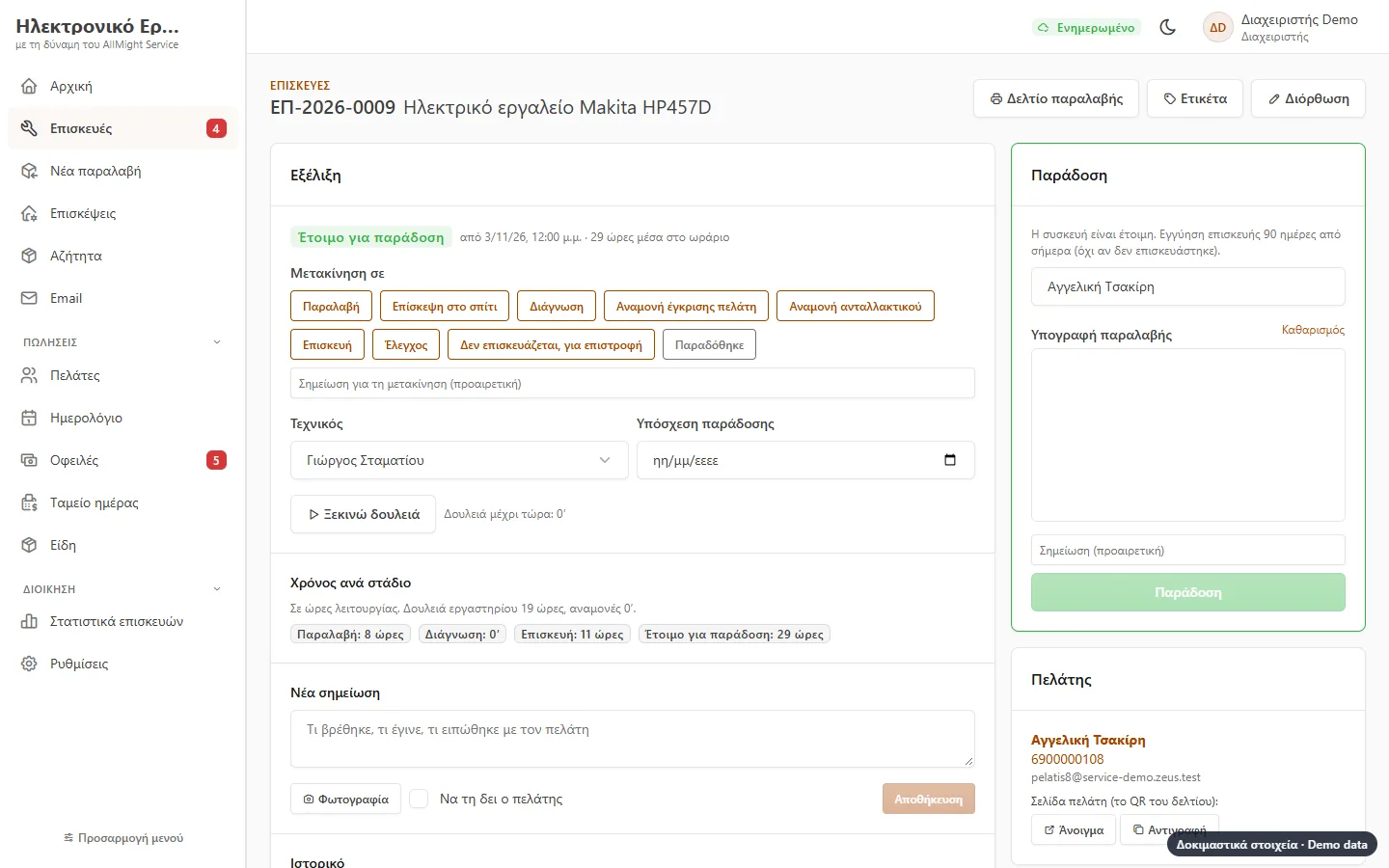
When the device is ready, the customer signs for it on the screen and gets a delivery note with the work done and the repair’s warranty. If it comes back within the warranty, the program knows it from the serial number.
- A warranty in days you set
- A warning if money is still owed
- No warranty when it goes back unrepaired
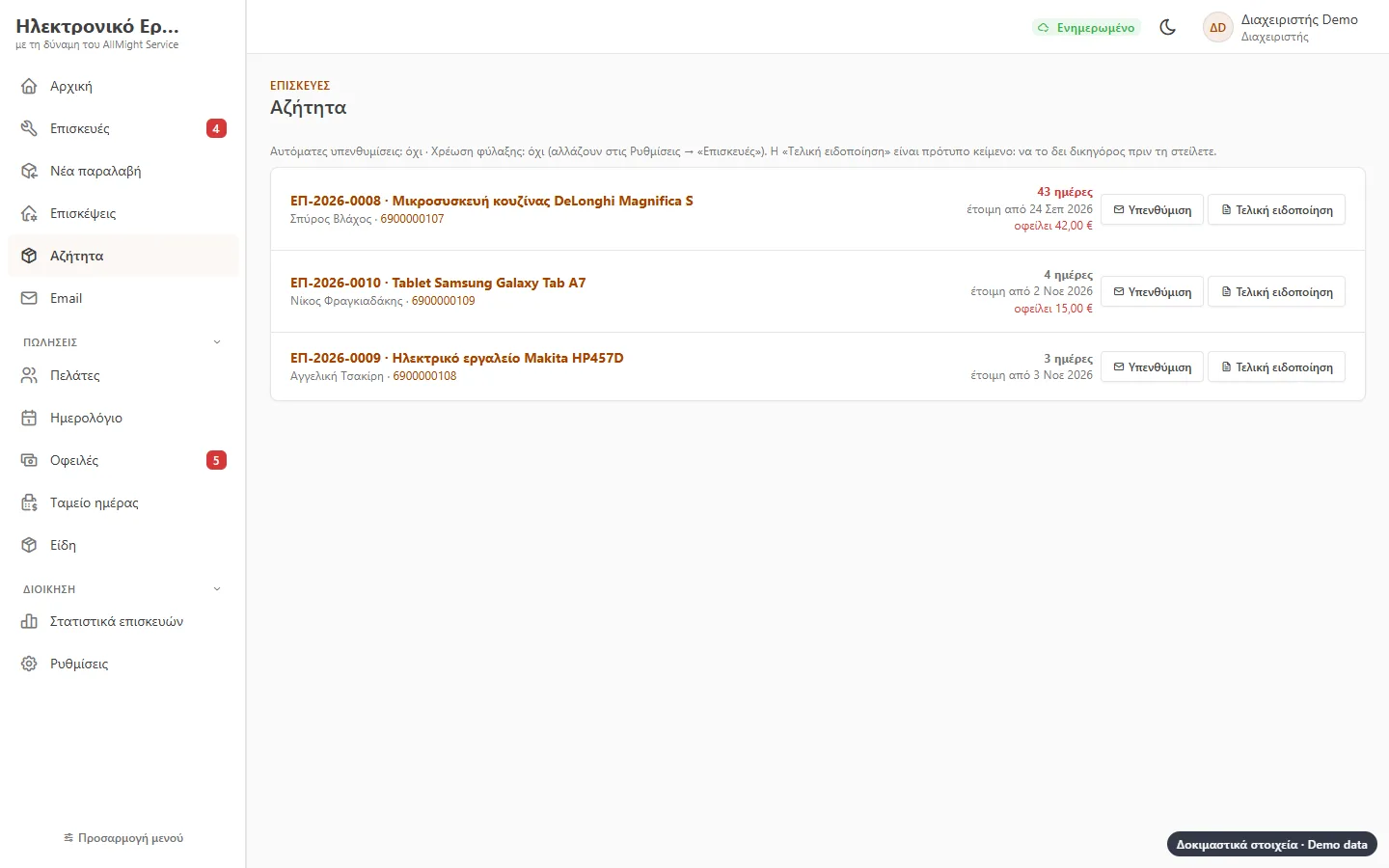
Uncollected devices
Ready devices the customer has not picked up, with the days, the phone number and what is owed. A reminder at a click and a final notice as a letter.
- Automatic reminders, if you want them
- A monthly storage charge after the days you set, if you want it
- Have your lawyer check the texts
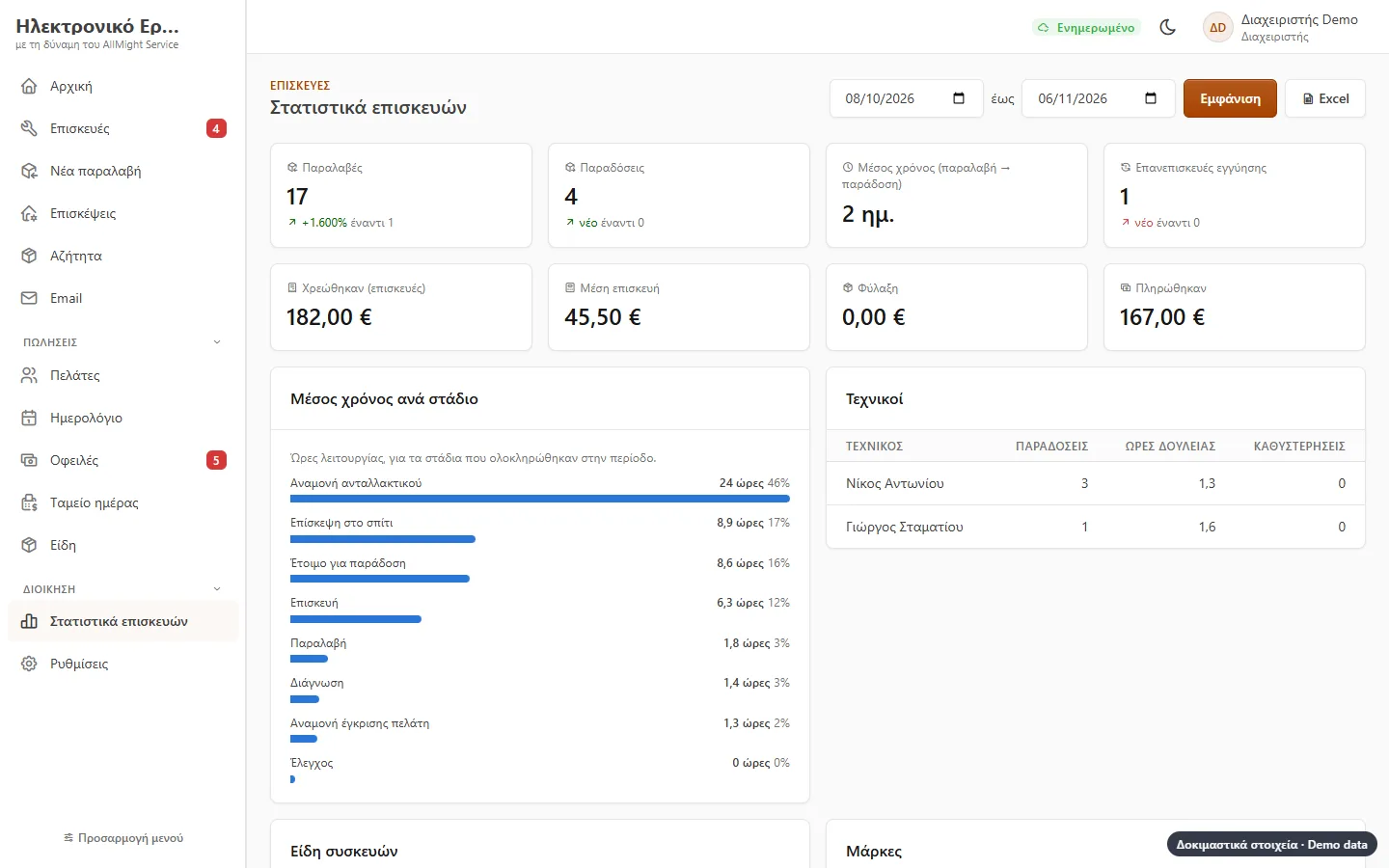
Statistics
Intakes and deliveries, average repair time, which stage devices wait in longest, what each technician did, kinds and brands, charges and payments, compared with the previous period.
- Excel with the period’s deliveries
- Re-repairs within warranty
Made to fit your workshop
Stages, time limits, opening hours, kinds of devices and their accessories, intake terms, slip and sticker size, warranty and diagnosis fee are all in the settings.
- Ready-made stages and kinds from day one
- Stages are never lost or deleted, only hidden