
AllMight FTTX
From the PoP to the tenant’s socket: what is done, what waits for what, which technician goes where, and the statement to your principal comes from the same records.
- Monthly subscription
- Ready stages for your provider
- Trial period
- Your network imported and training by us
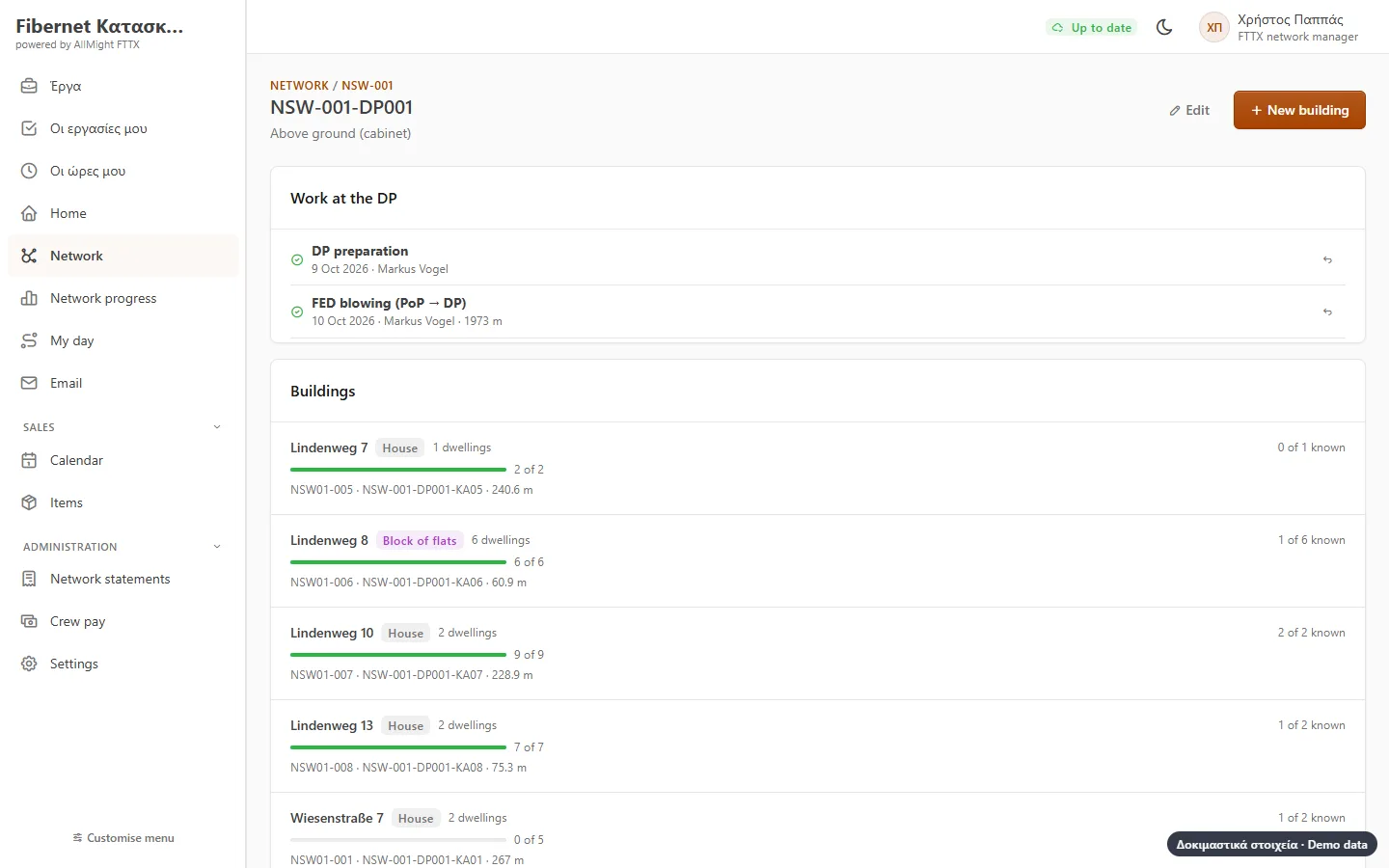
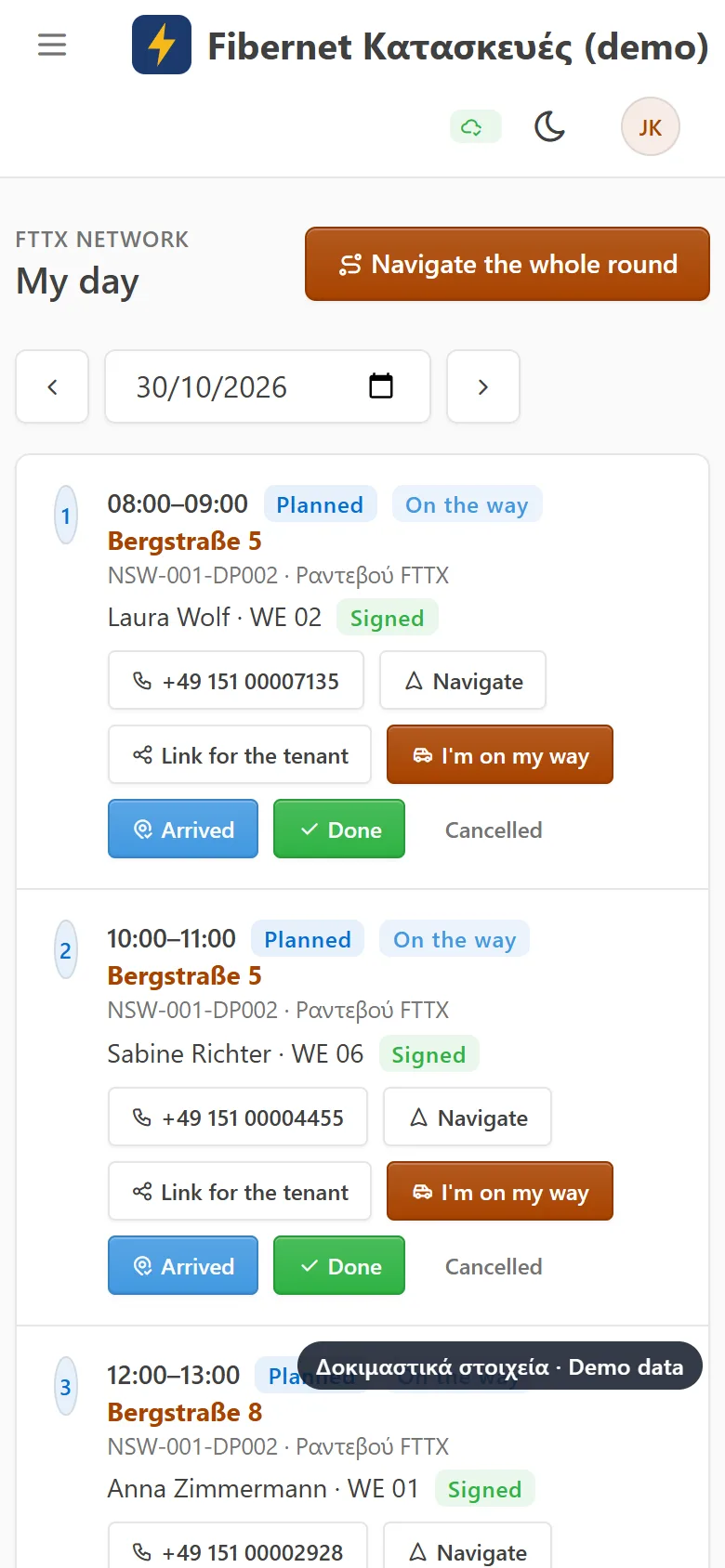
The pictures come from a demo company («Fibernet Κατασκευές») with made-up networks, addresses and tenants.
For the office, the supervisor and the technician
Network manager
Progress per PoP and DP, what is late, what has a problem, and what can be charged.
Field supervisor
Tenant appointments, which crew goes where, and each technician’s day.
The technician
Their day on the phone: route, stages, photos, even without signal.
Accounts
Statements per principal and provider, and the crews’ pay every month.
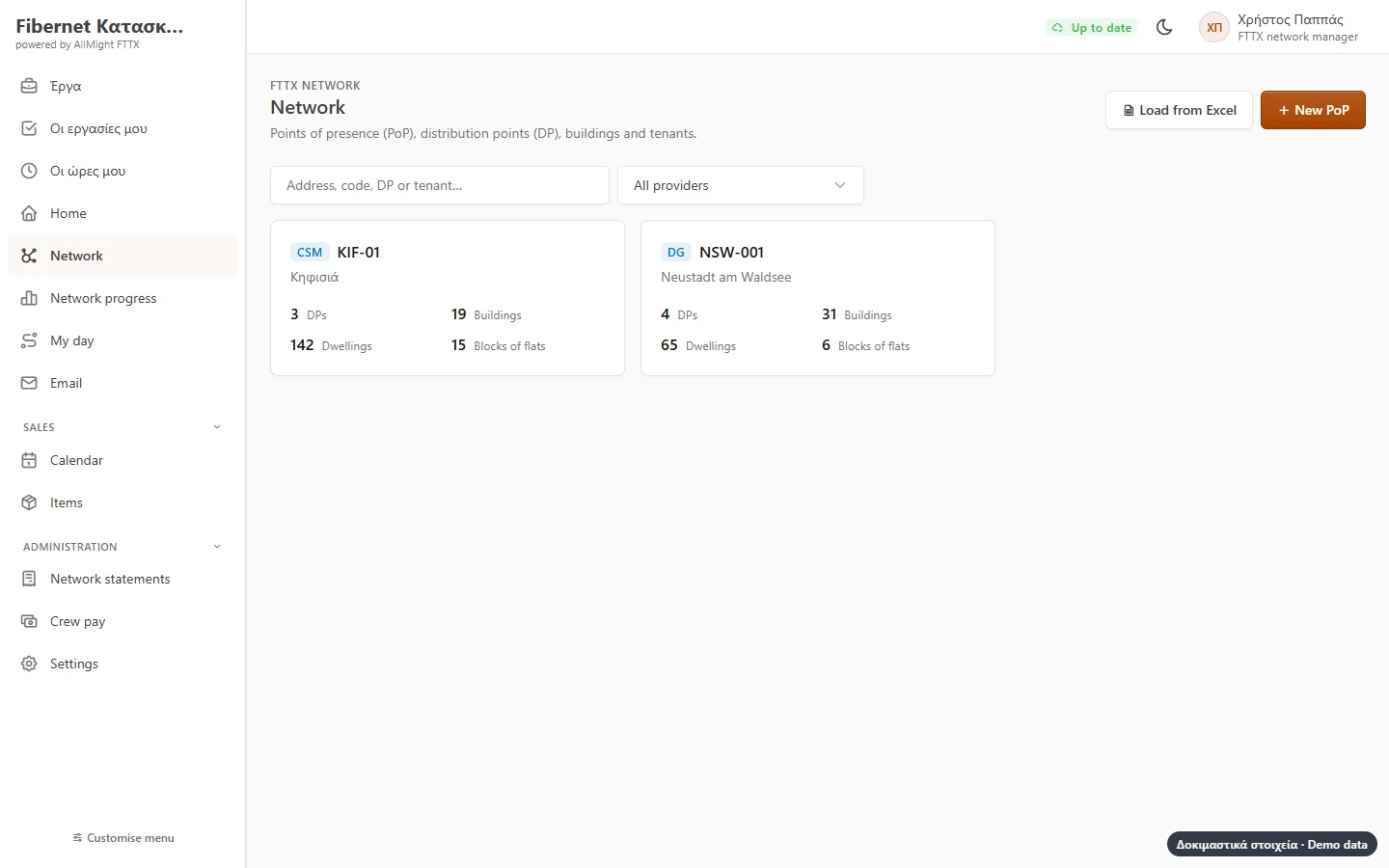
The whole network in one place
PoPs, DPs, buildings and tenants, for every provider you work for. The network comes in from the provider’s Excel file, and every DP’s progress shows at once.
- Several providers in one program, each with its own stages
- Buildings and tenants imported from the provider’s Excel file
- Search by address, DP code, tenant name or phone
- Single-family or multi-dwelling, handled per building
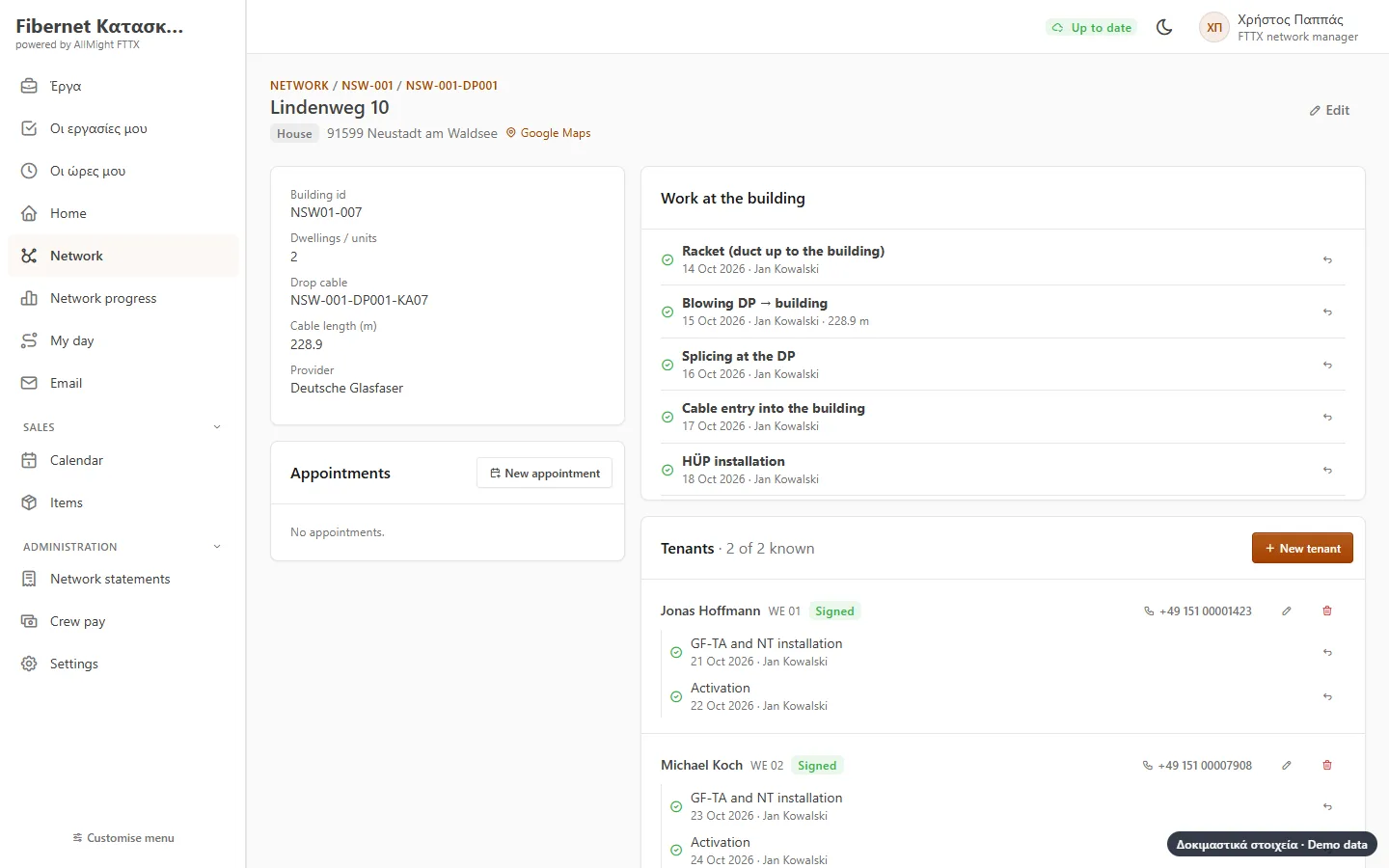
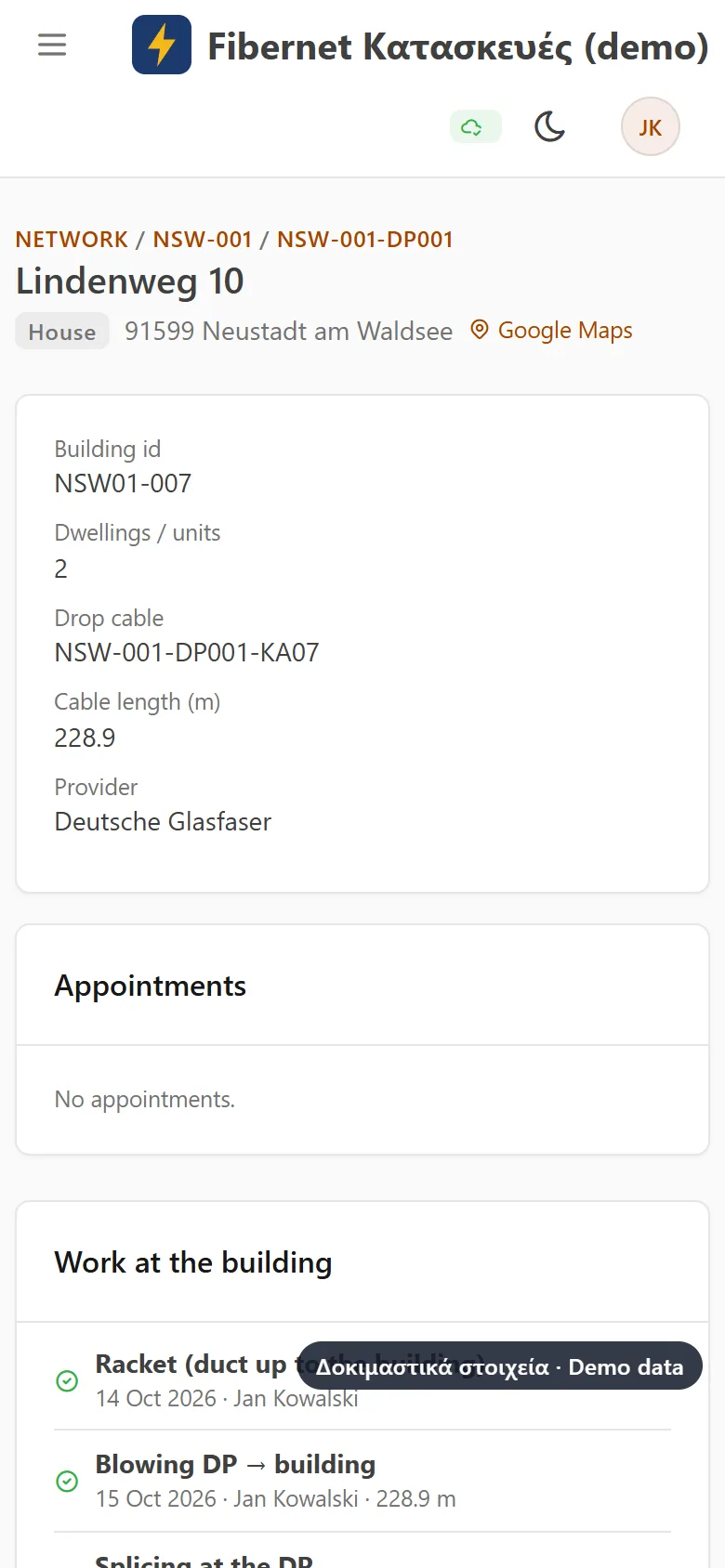
Every building, stage by stage
The work up to and including the building (NE3) and each tenant’s installation (NE4). The program knows the order: splicing opens only once the building and the feeder have been blown.
- Only the stages that apply to this building and this tenant
- «Waits for…» and where: at the DP or in the building
- A problem with a note and a photo
- Cable metres where they count
In the field, even offline
The technician opens their day: appointments, addresses and the route in the maps. They record what they did with one tap and photos. In a basement or a village without signal, it stays on the phone and is sent as soon as there is one.
- «My day» with a route through all appointments
- One tap to record, photos from the camera
- The network is downloaded to the phone for use without signal
- Each technician in their language: Greek, German, English
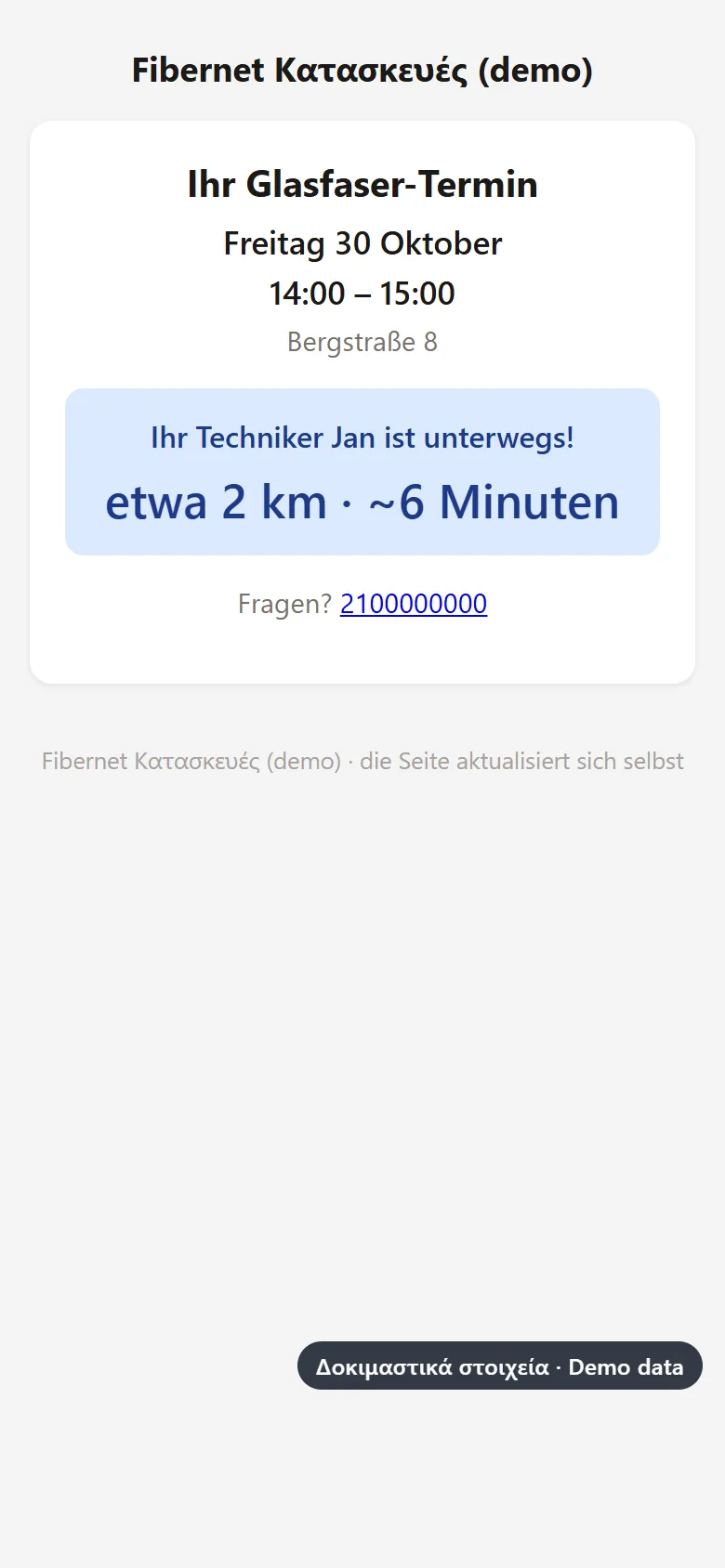
The tenant knows when you are coming
Tenant appointments go into the calendar. The technician sends a link: the tenant sees the time, when the technician is on the way and about how many minutes away.
- The link goes out with any messaging app on the phone
- Only the last position is kept, and only while on the way
- In the language of the network’s country
- Tenants never become your customers: only what the appointment needs
Progress, map and reports
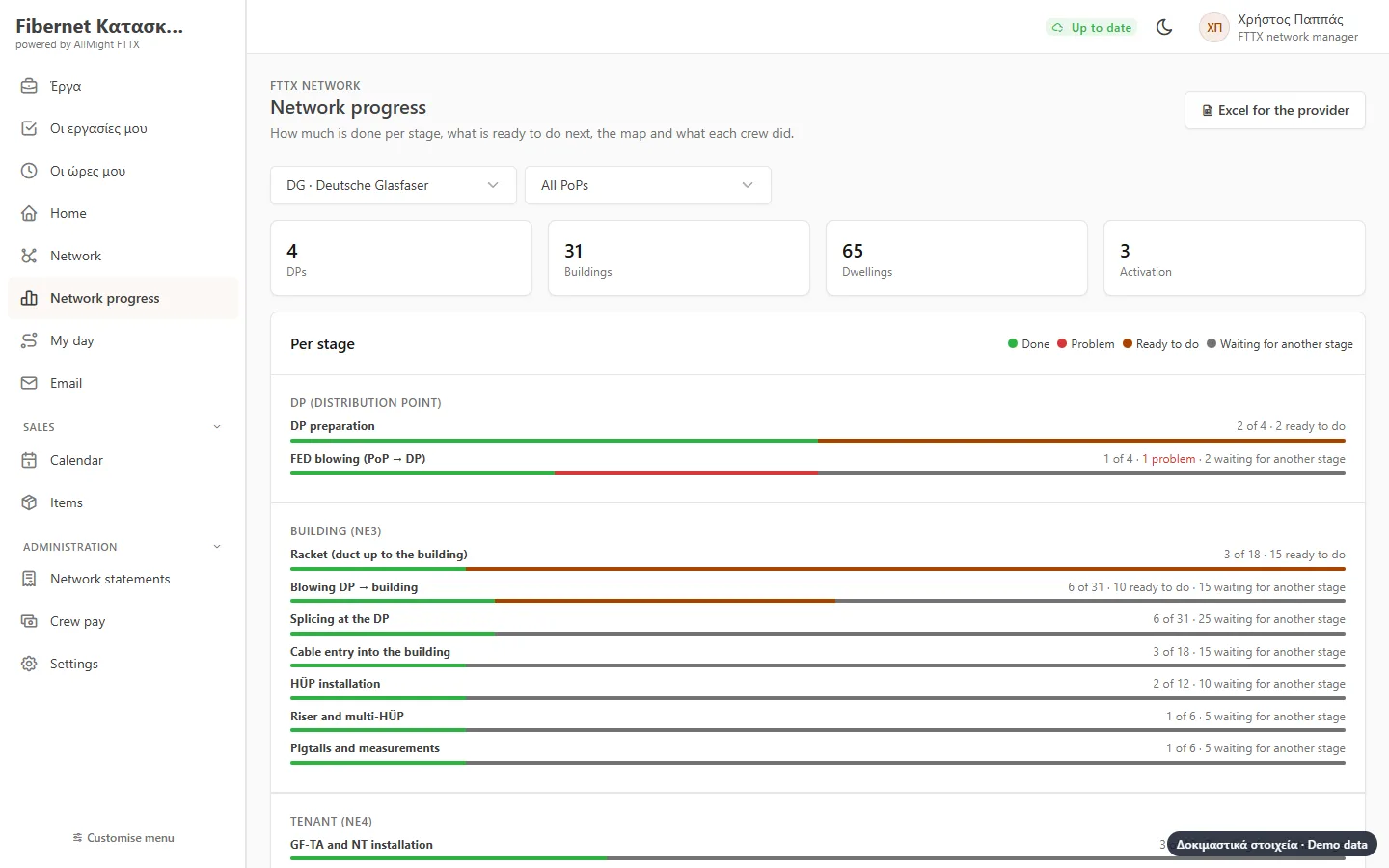
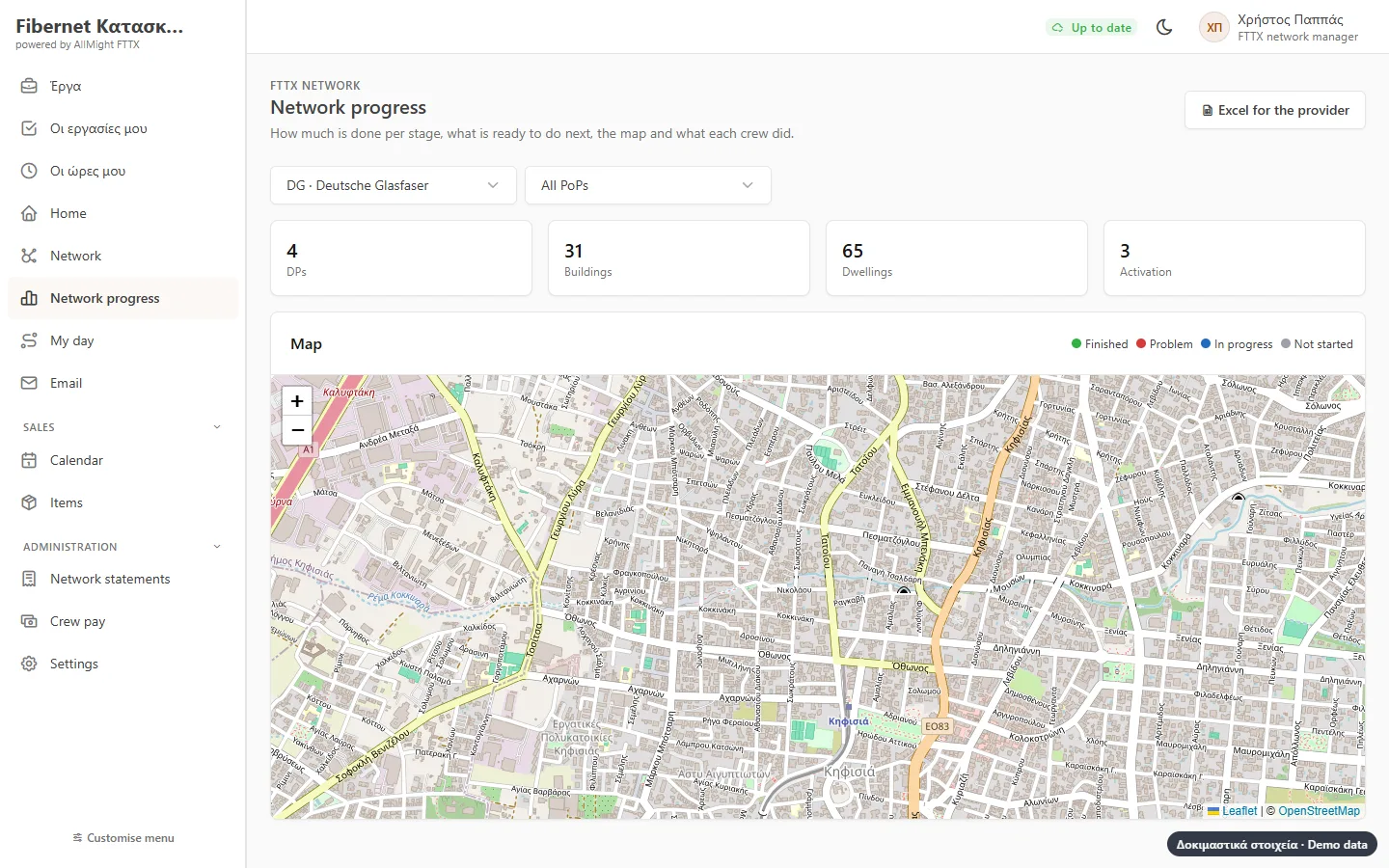
For every stage: how many apply, how many are done, how many are ready to start and how many wait for other work. On the map, every building in its colour.
- Ready to start and waiting, apart
- What each crew did, per day
- Excel for the provider, one column per stage
- A morning email: what was done yesterday and what has a problem
Statements to your principal
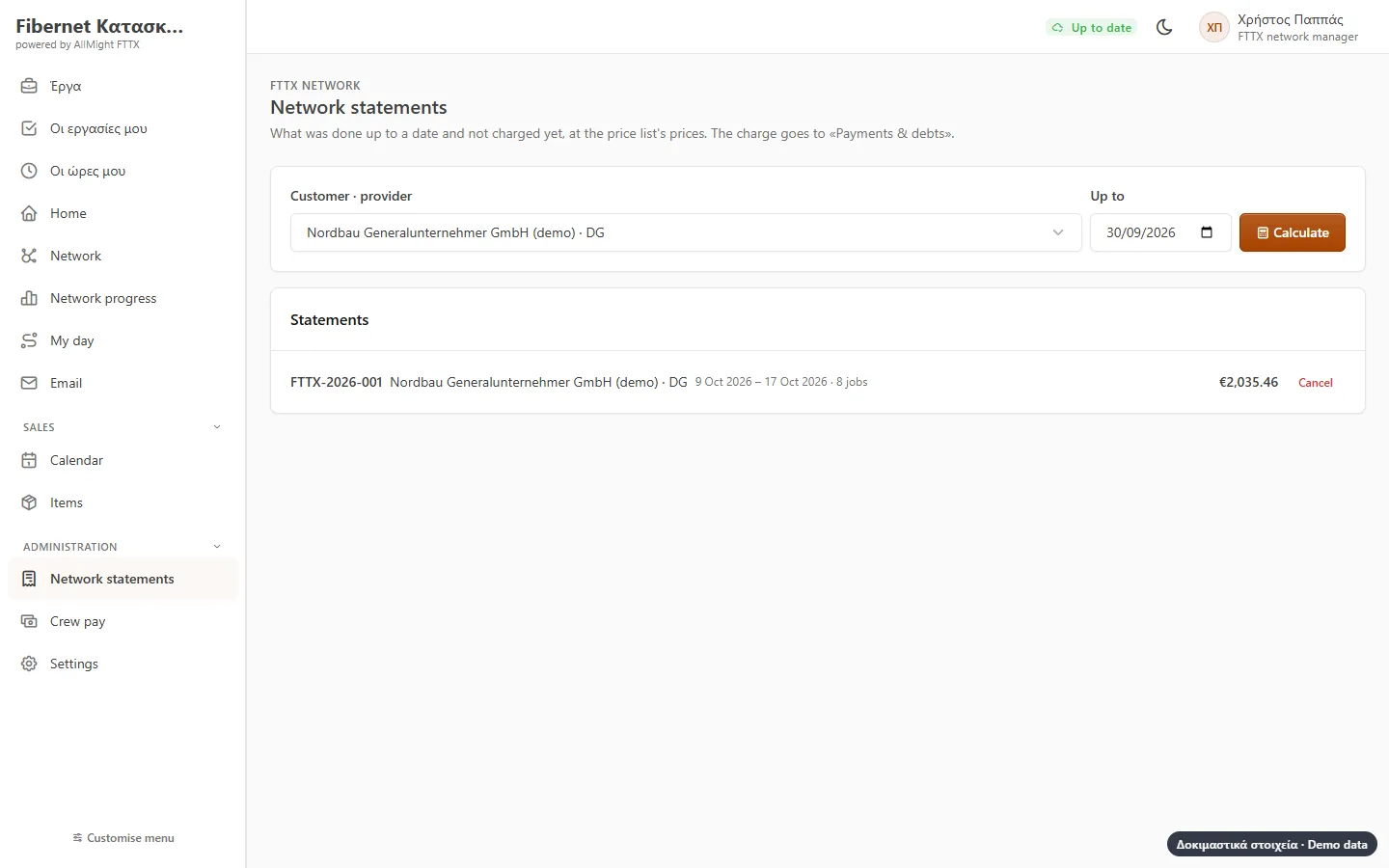
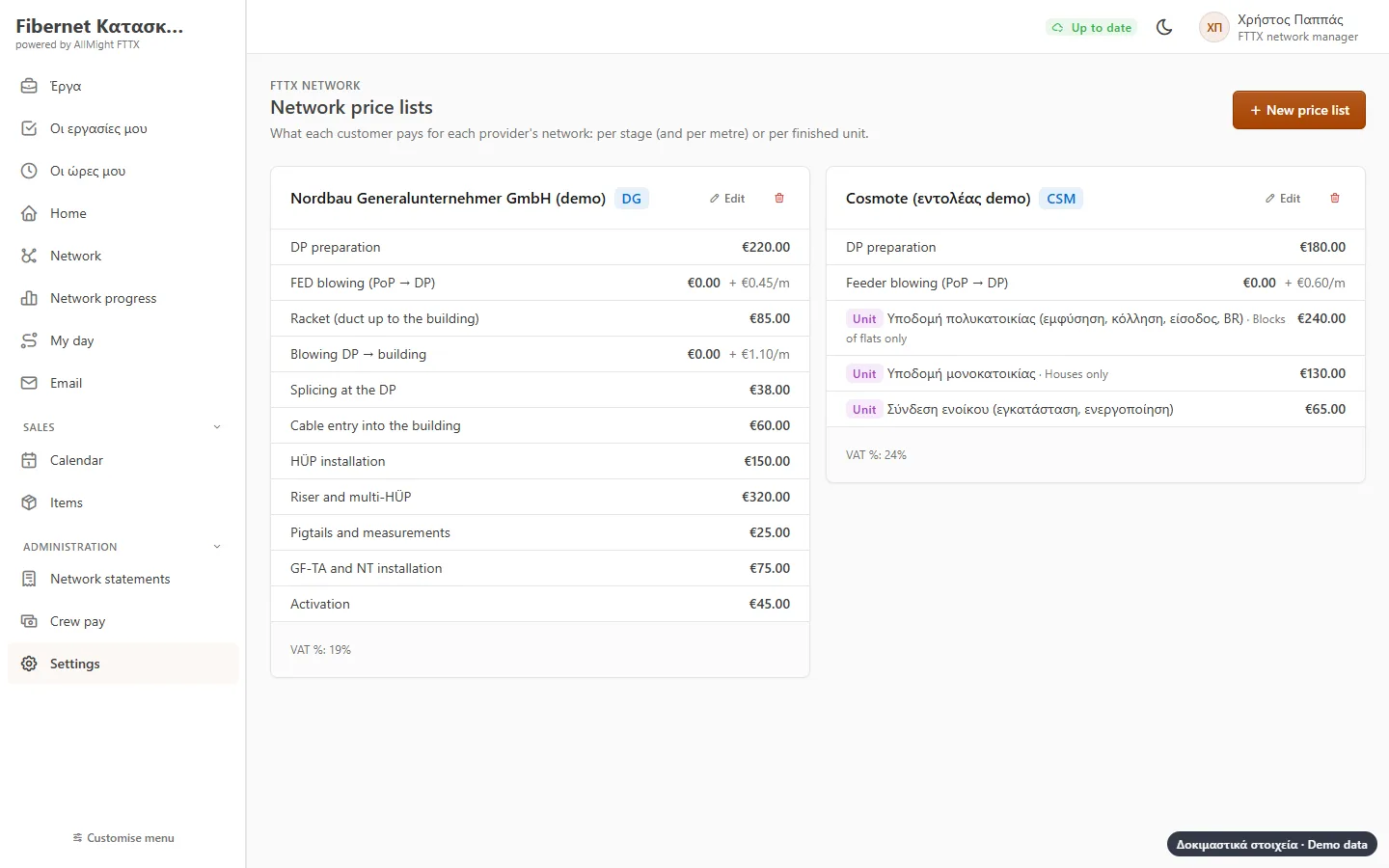
A price list per principal and provider: per stage, per metre or per finished building and tenant. The period’s statement gathers what was done and not yet charged and goes to what the principal owes; in Greece the e-invoice (myDATA) comes out of AllMight.
- Per stage, per metre or per finished unit
- Nothing is charged twice
- Anything without a price shows before charging
- The statement as Excel for the principal
Crew pay, as each contract says
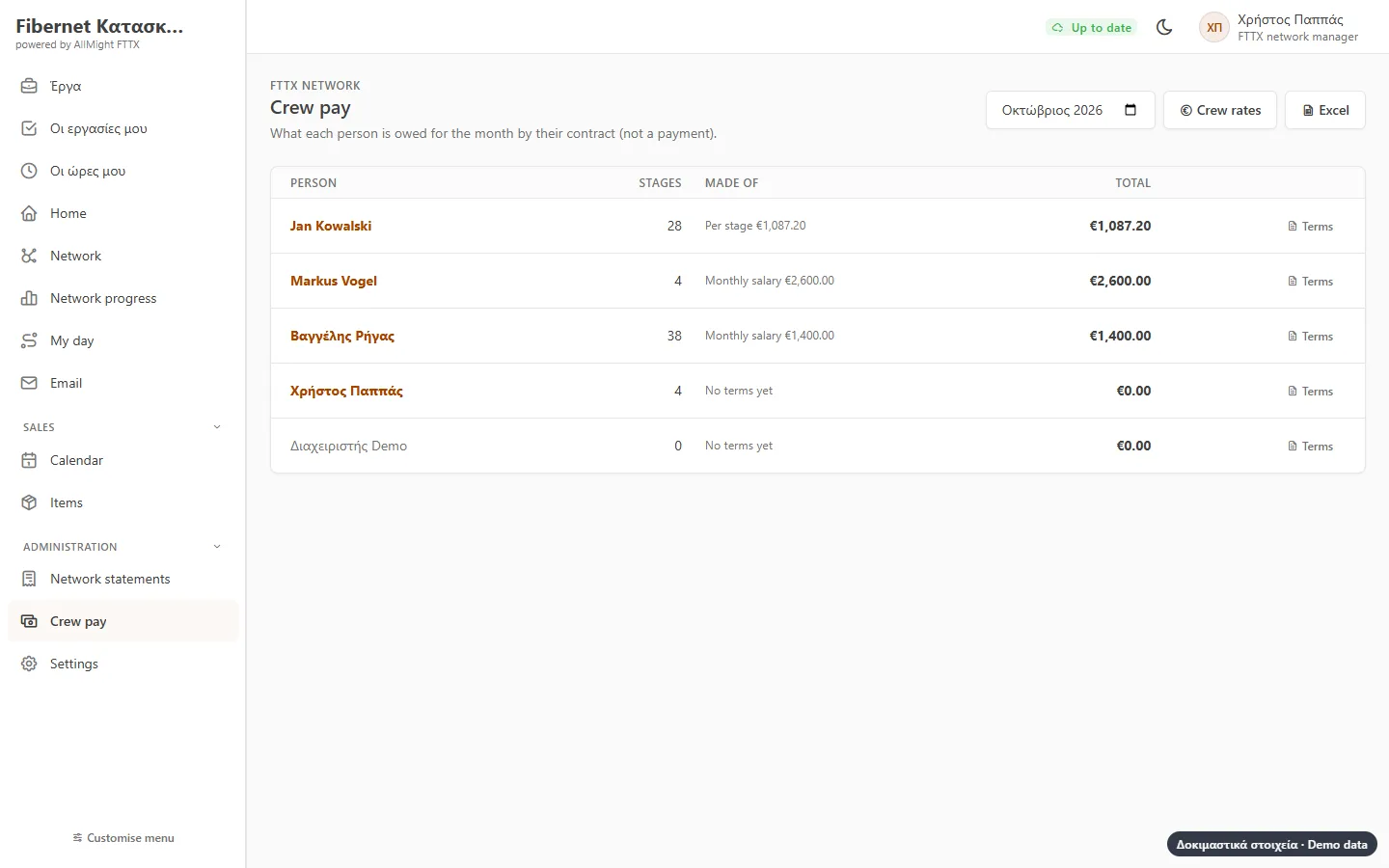
A monthly salary, per stage or per metre, a share of the work’s value, a bonus above a target, or any mix. The month’s statement comes from what they recorded in the field.
- Each person with their own agreement
- Monthly statement and Excel
- Technicians see only their own pay
- From the same records as progress and statements
Each provider’s stages
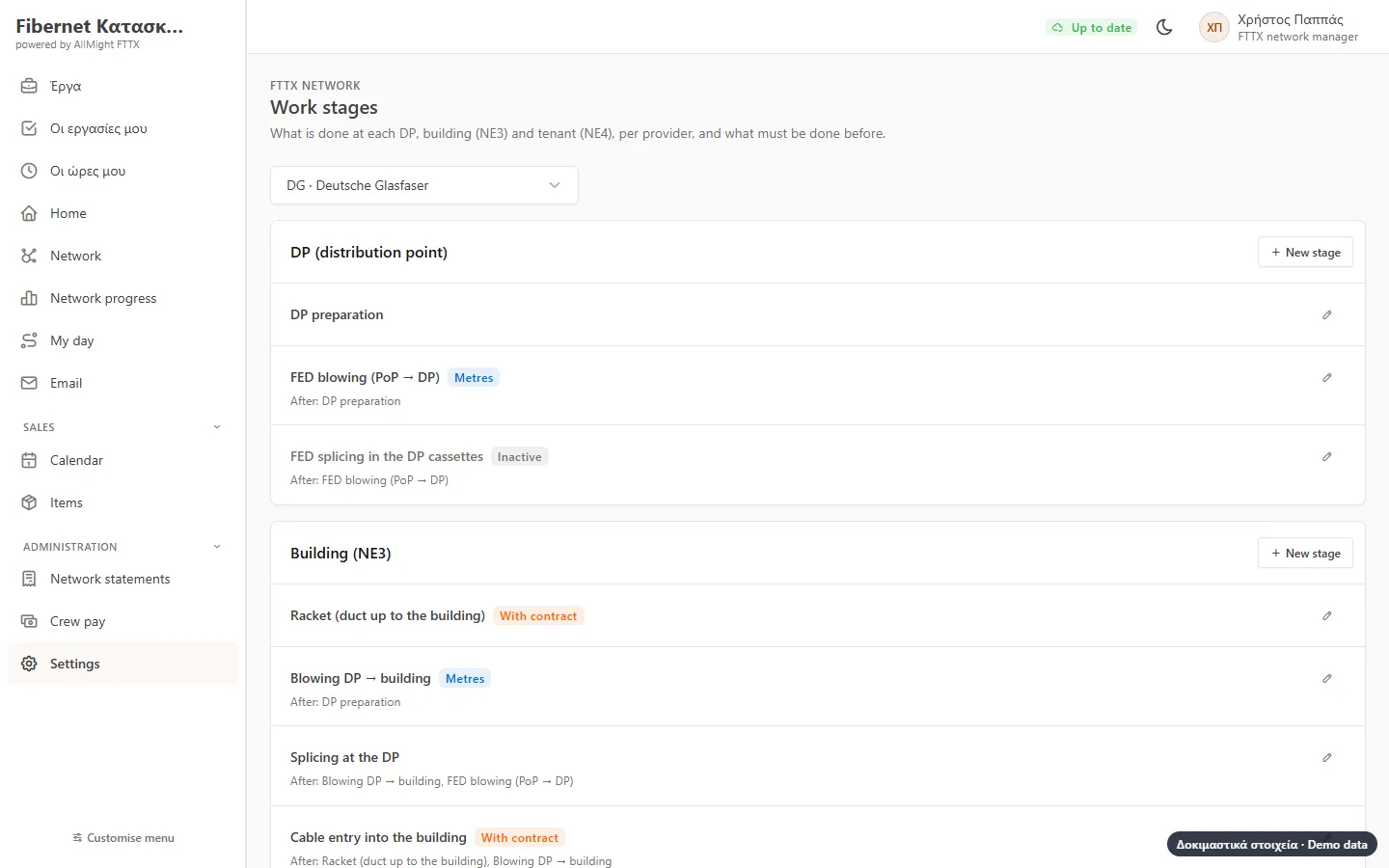
Ready stages for a large German provider and a Greek one. Change them or make your own: at which level, for which buildings they apply, what must be done before.
- DP, building (NE3) and tenant (NE4)
- Single-family, multi-dwelling or only with the tenant’s signature
- Names in Greek, German and English
- The order you set is kept in the field
And also
Calendar
Tenant appointments next to everything else, on the phone too.
Projects
A project shows the progress of its PoP or DP next to its own tasks.
Roles
Network manager, field supervisor and technician: each sees what concerns them.
Three languages
Greek, German and English, each person in their own.
Personal data
Tenants are kept apart from your customers, and the link never shows the technician’s route.
Nothing to install
Opens in the browser on desktop, tablet and phone, and as an Android app.
How to get started
Introduction
Tell us how you work today and what slows you down.
Demo
See the app with examples from your own business.
Set-up
We import your data and adapt what is needed.
Training & support
We train your team and stay by your side.
Let's talk about your business
Tell us what you need. We reply with a proposal and a demo, no strings attached.