
AllMight Projects
Every project in one place: who does what and when, how many hours went in, what was charged and what is left, and the client sees the progress without calls and emails.
- Monthly subscription
- Ready templates for your sector
- Trial period
- Set-up and training by us
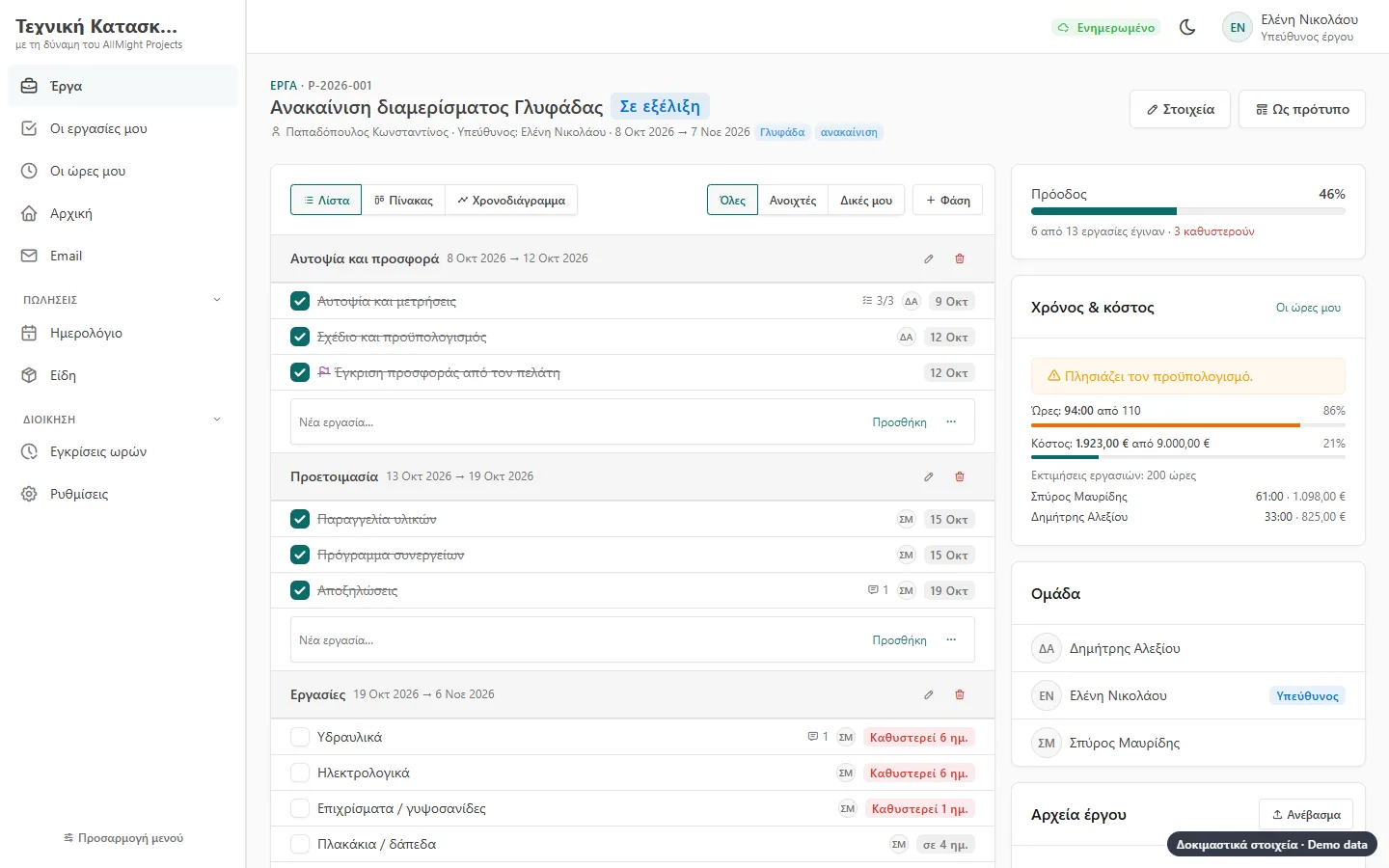
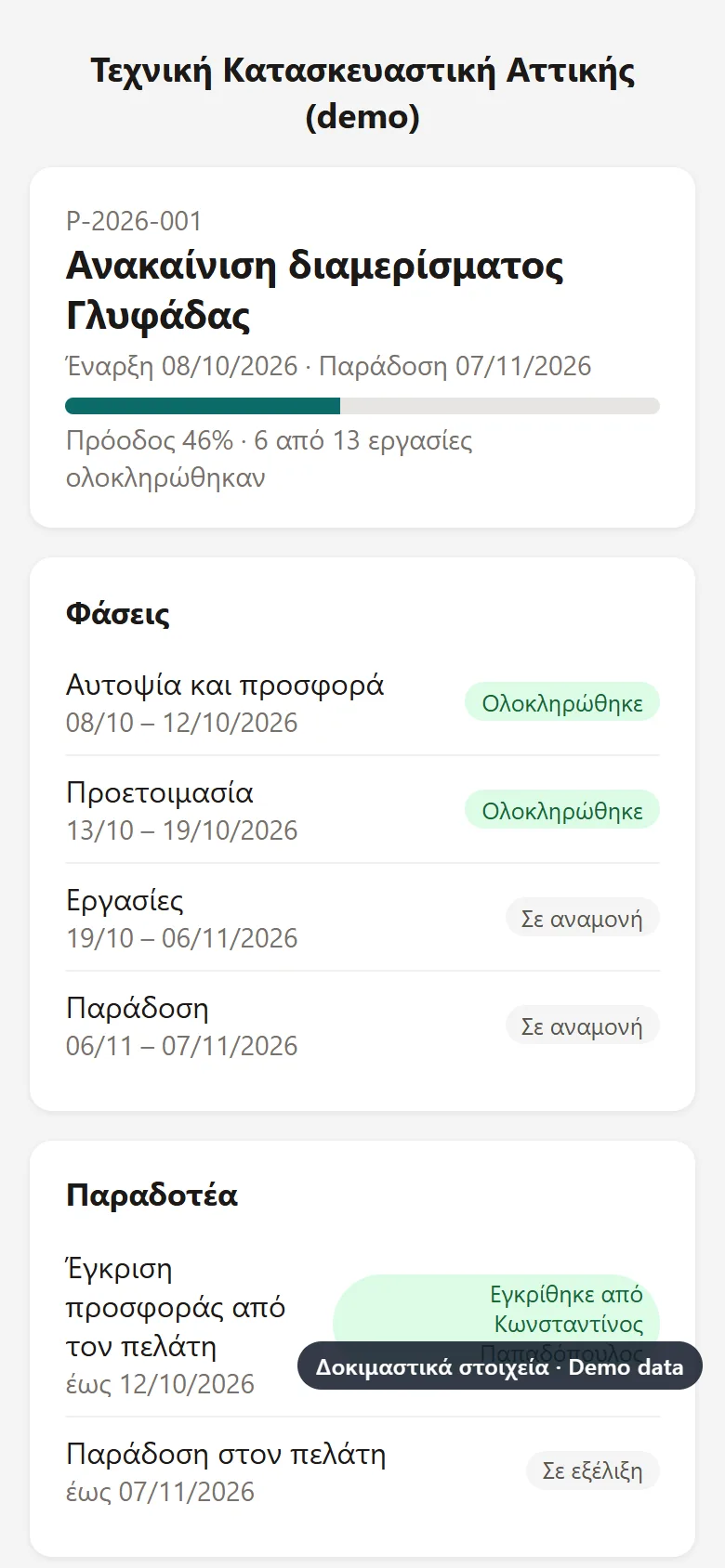
The pictures come from demo companies («Τεχνική Κατασκευαστική Αττικής», «Γραφείο Λογιστικών & Συμβουλευτικών») with made-up names and data. The screens are shown in Greek.
For the manager, the team and the client
Project manager
Phases, deadlines, who is behind, hours and cost against the budget.
The team
My tasks on the phone, comments with photos, a timer with one tap.
The client
Follows the progress, approves deliverables with a signature and sends files, no password.
Accounts
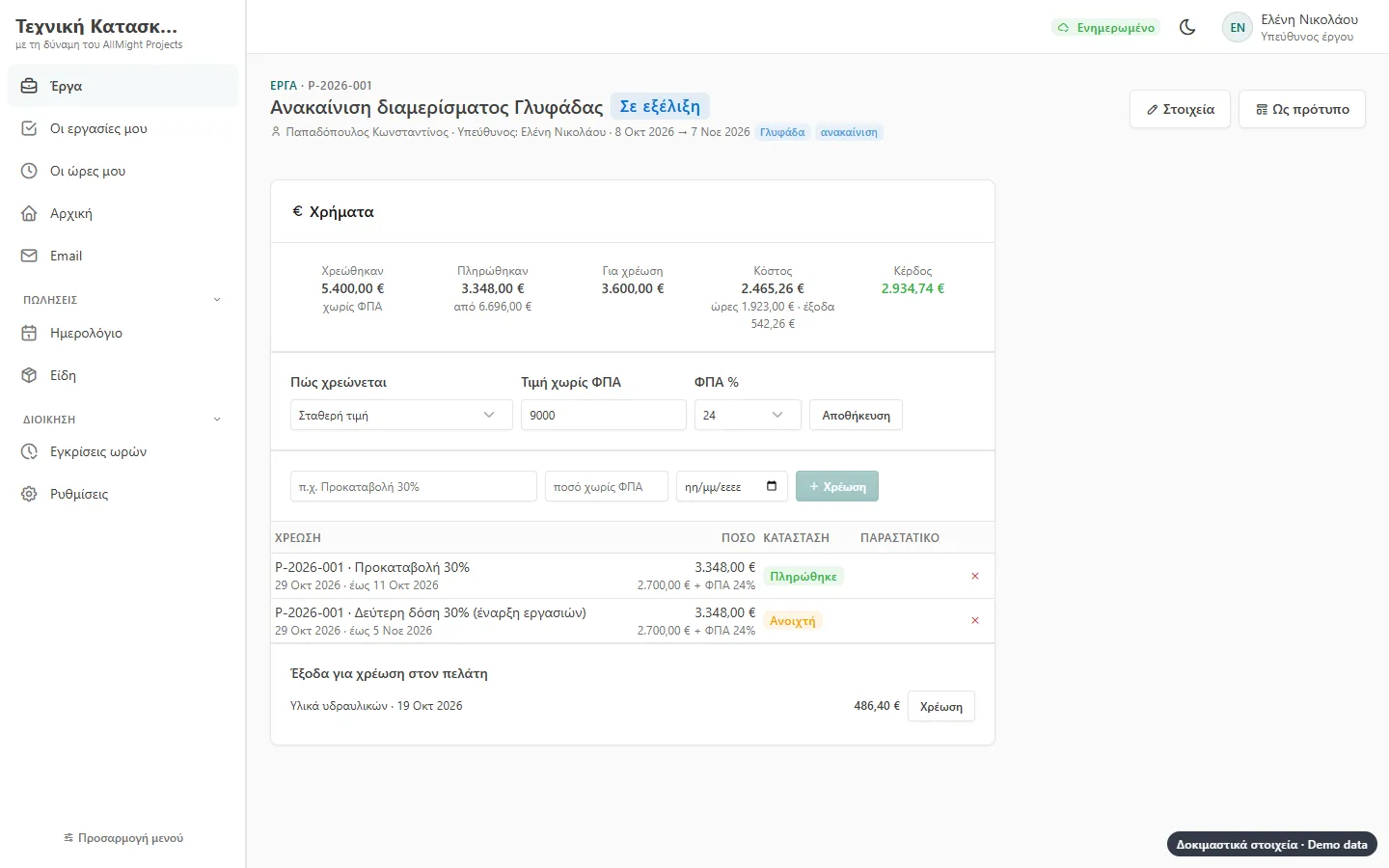
Charges per milestone, by the hour or a fixed price, invoices and who owes.
Your projects at a glance
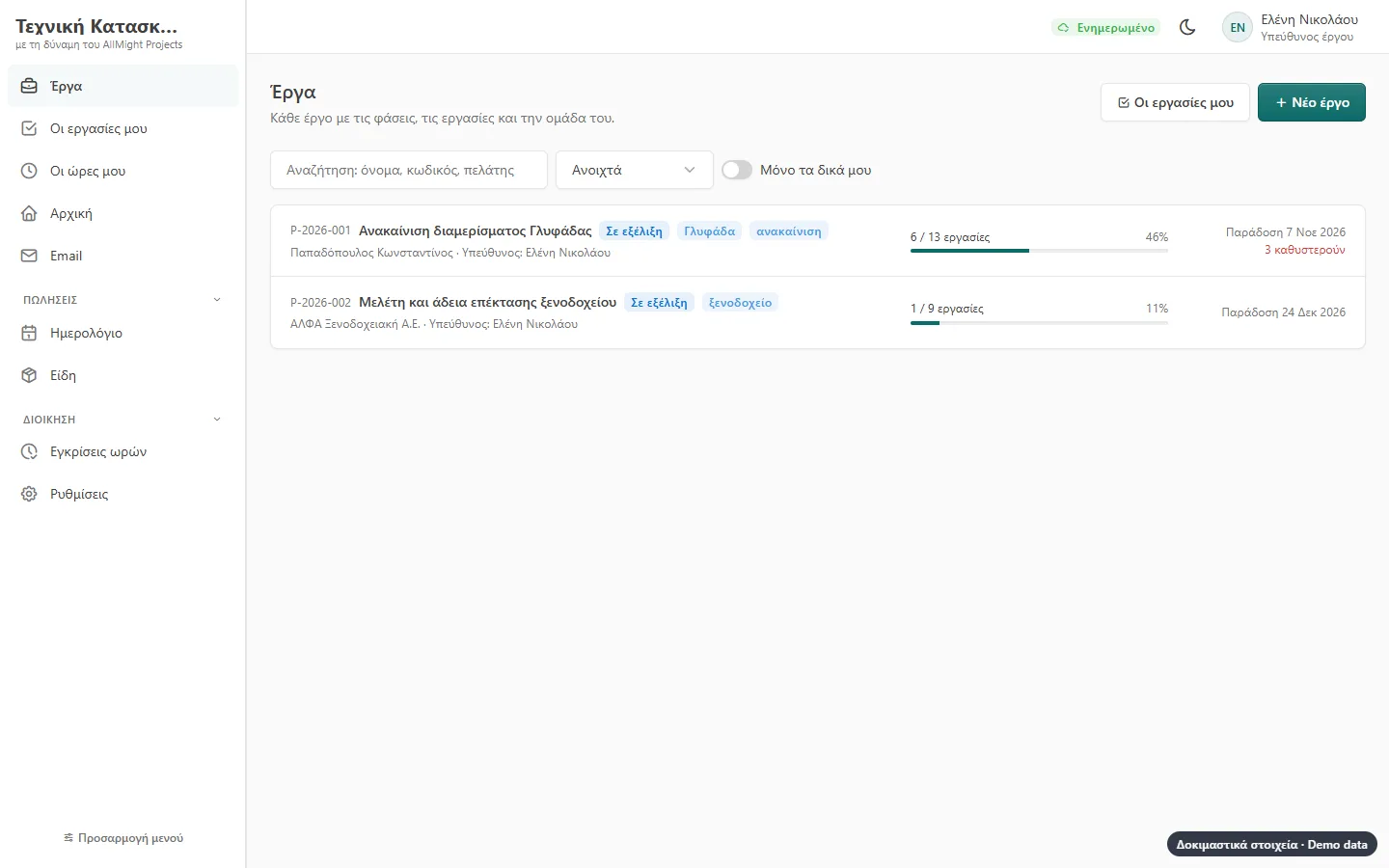
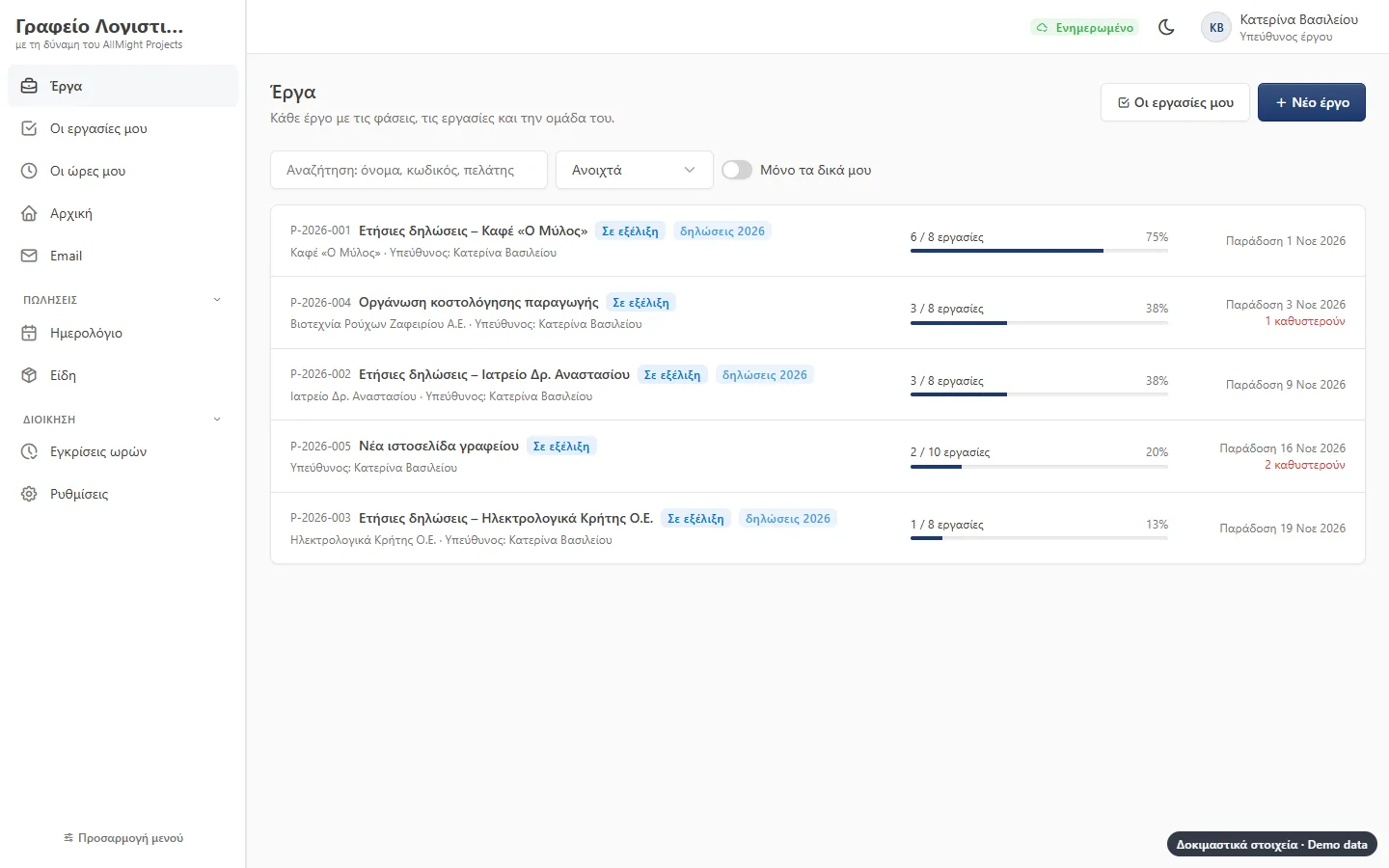
Every project with its client, manager, team, start and delivery. Progress and delays show at once.
- Starts from a ready template with phases and dates
- Tags, search and «only mine»
- Team members see only their own projects
- Project files: drawings, contracts, photos
Board and timeline
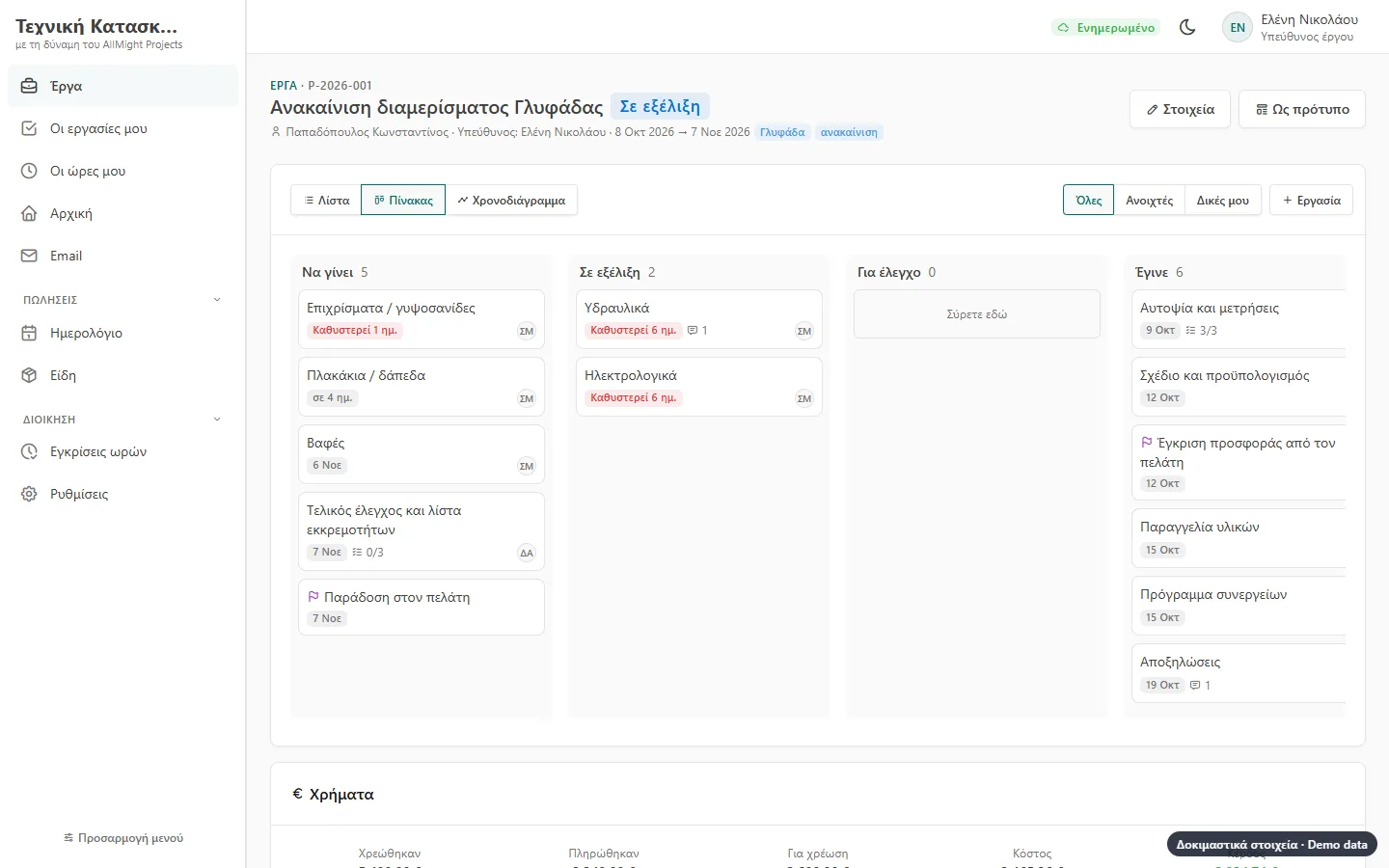
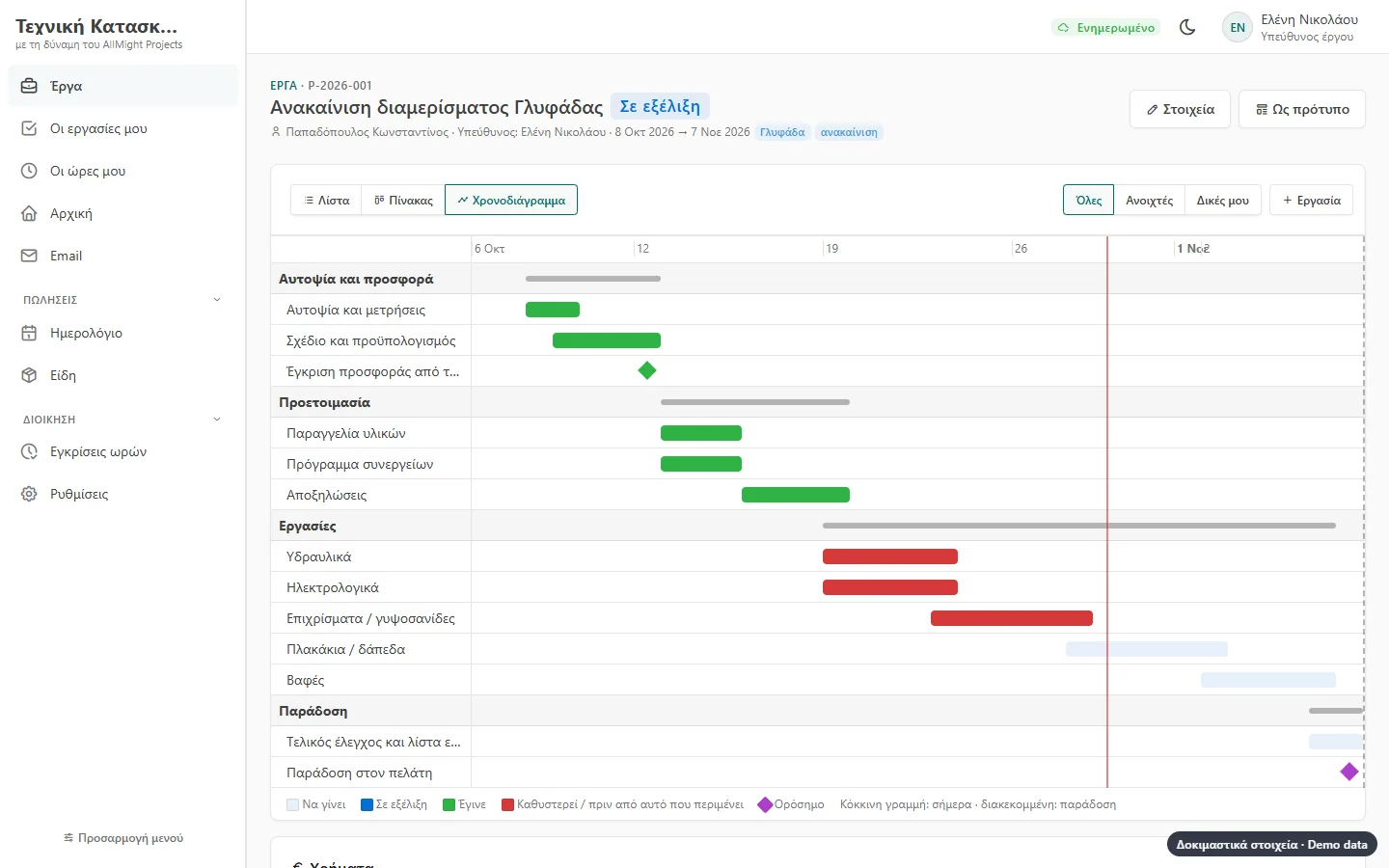
The same work the way each person likes it: a list by phase, columns you drag cards across, or a timeline with today and the delivery date.
- Columns «To do», «Doing», «For review», «Done»
- «Starts when … is done»: the order of tasks
- Red for anything late
- Tasks and deliveries in the calendar
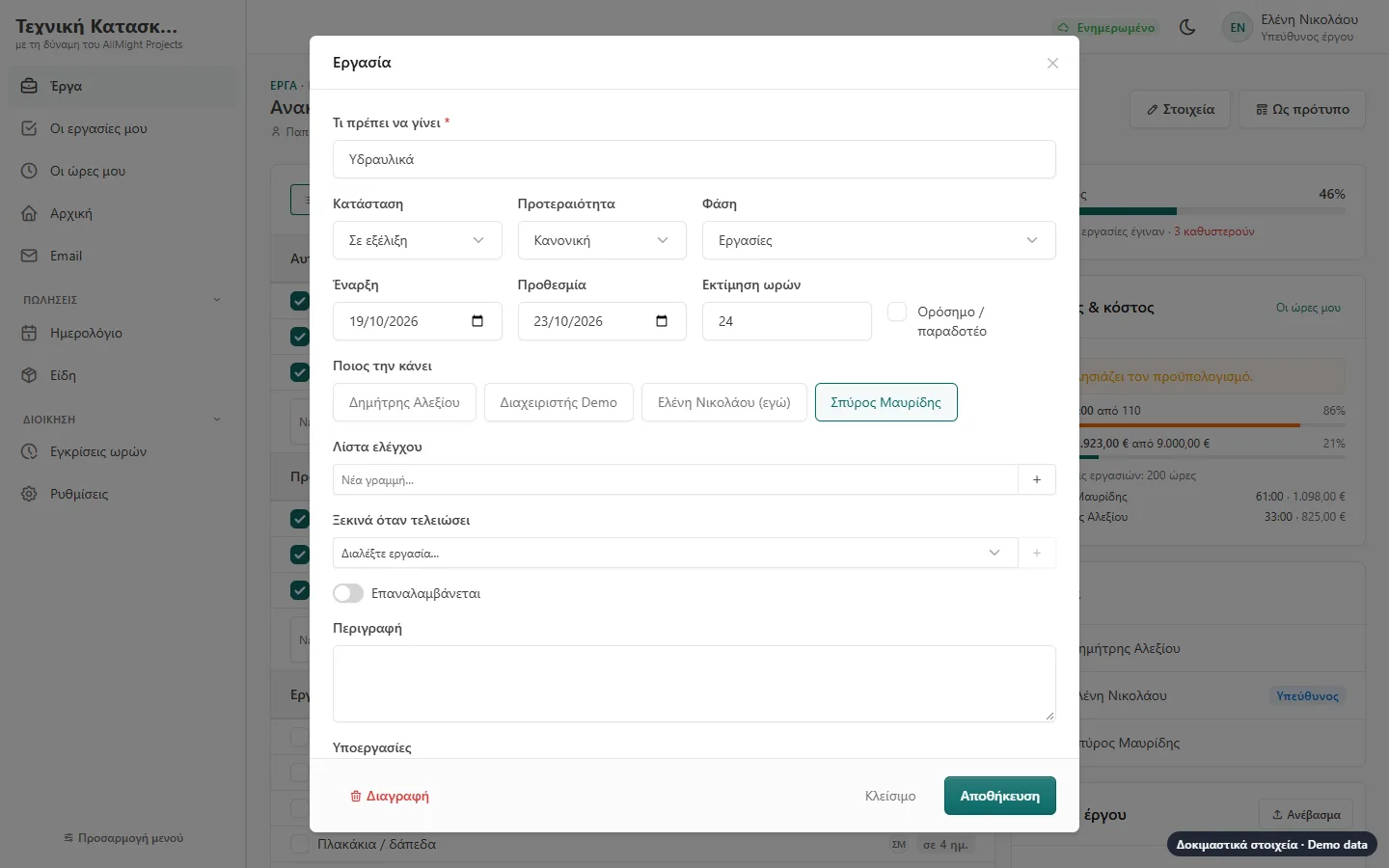
Tasks with everything
Who does it, deadline, priority, estimated hours, checklist, subtasks, files and comments.
- Comments with @ that notify a colleague
- Photos from the phone
- Repeating tasks (weekly, monthly…)
- A phone or email notice for a new task
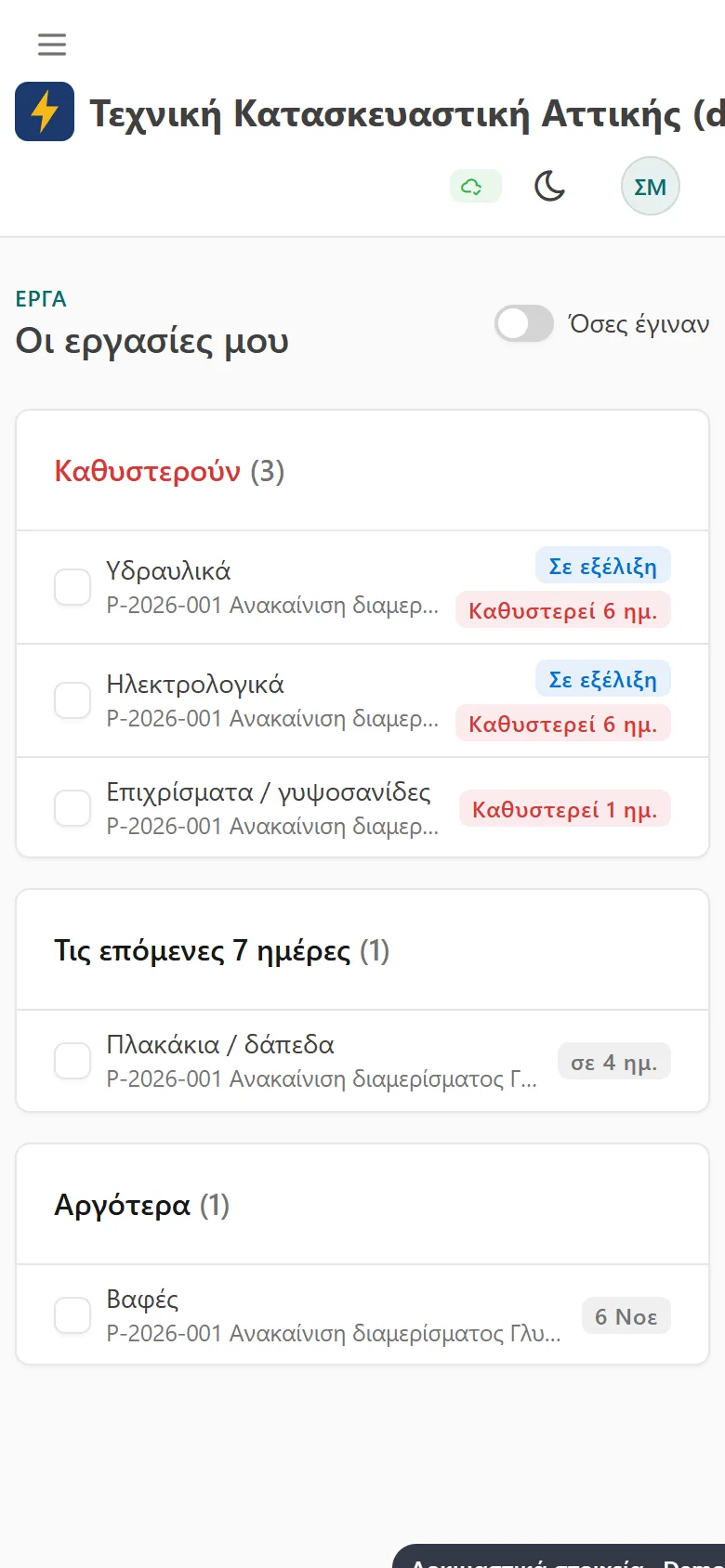
On the team’s phones
Each person sees their own tasks: what is late, what is for today, what is coming. Tick and done.
- «My tasks», also on the home page
- A morning email with today’s work
- A timer in the top bar
- Expenses with a photo of the receipt
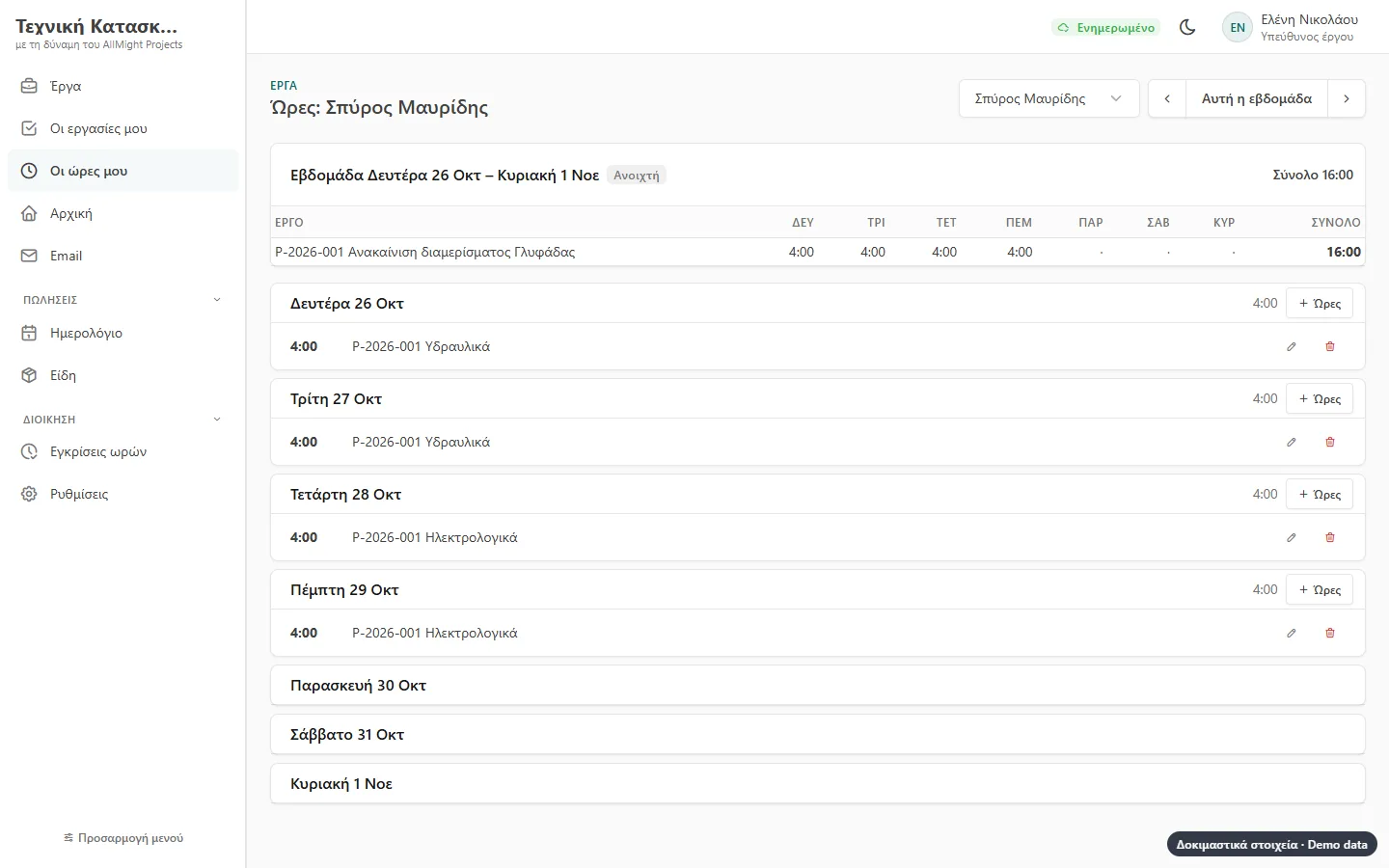
Hours and timesheets
A timer or hours by hand, on a project and a task. At the end of the week, sent for approval.
- Approved, or sent back with a note
- An approved week is locked
- Cost and charge per hour for each person
- Hours against the estimate and the budget
Charges, invoices and profit
A fixed price in instalments, a charge per milestone or by the hour. Charges go to what the client owes and the invoice comes out of AllMight.
- Only approved hours are charged
- Project expenses with the receipt, charged on to the client
- Profit: charges minus hours and expenses
- A warning near or over the budget
The client sees the progress
A link for the client, no password: progress, phases, deliverables. They approve with their signature or ask for changes, and send files.
- The approval is kept with name, signature and time
- Changes come back to the team as a comment
- You choose which files they see
- Closed with one click
Templates for every sector
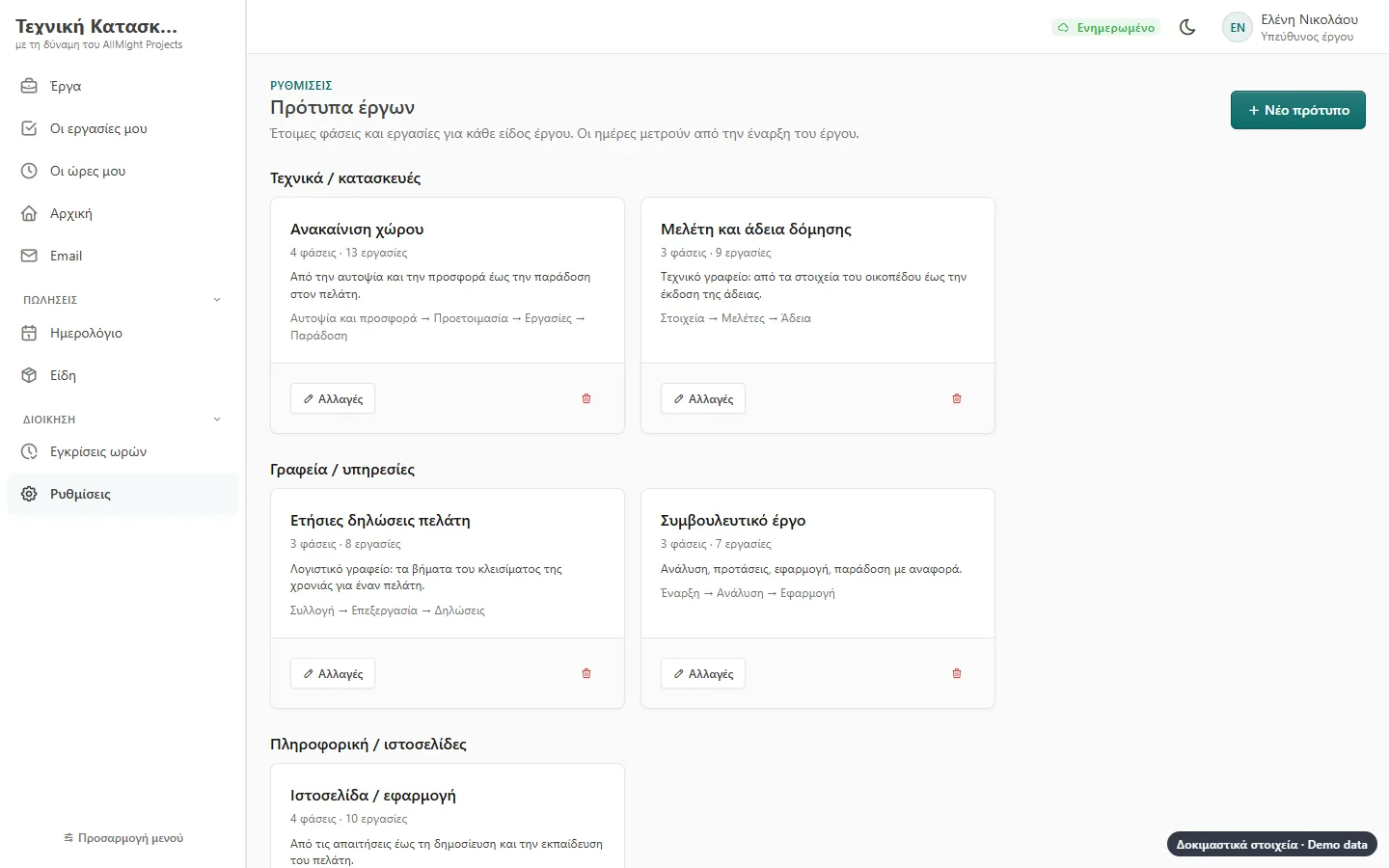
Ready templates for a renovation, a study and permit, yearly tax returns, a consulting job, a website. A project that went well becomes a template in one click.
- Phases, tasks, milestones and hours
- Dates counted from the project’s start
- Change them as you like
- The same program for technical firms and offices
And also
Calendar
Deadlines and deliveries next to your appointments, on the phone too.
Morning summary
Every morning: what is late, what is for today, which projects go over budget.
Roles
Project manager and team member: each sees what concerns them, amounts only the managers.
With the AllMight suite
Customers, payments owed, e-invoicing and calendar from the shared parts.
Security
The client link is kept only as a fingerprint, expires and closes whenever you want.
Nothing to install
Opens in the browser on desktop, tablet and phone.
How to get started
Introduction
Tell us how you work today and what slows you down.
Demo
See the app with examples from your own business.
Set-up
We import your data and adapt what is needed.
Training & support
We train your team and stay by your side.
Let's talk about your business
Tell us what you need. We reply with a proposal and a demo, no strings attached.